Choosing the best video editing software for Windows can feel overwhelming when there are dozens of options ranging from free tools to $300+ professional suites. The right pick depends on what you're actually doing, whether that's cutting together YouTube videos, producing client work, or building a short-form content engine that drives real business results.
At SocialRevver, video editing software is the backbone of our AI-supported production pipeline. We've tested and worked inside nearly every major editor on the market to deliver thousands of optimized short-form videos for founders, creators, and business owners. That hands-on experience gives us a strong opinion on what actually matters when choosing an editor, and what's just marketing fluff.
Below, we break down five Windows-compatible video editors worth your attention in 2026, comparing them on performance, features, and value so you can pick the one that fits your workflow and budget.
1. SocialRevver
SocialRevver is not traditional video editing software in the conventional sense. It's a fully managed content production system that handles strategy, scripting, editing, and distribution, built specifically for Windows-based production teams working at scale.
What it is and how it works
The production pipeline combines AI-driven scripting and editing with human oversight to deliver optimized short-form videos. It pulls from a database of over 750,000 analyzed videos to identify the hooks, pacing, and structures that drive real engagement, then applies those patterns to your content automatically.
Best for
This system works best for founders, business owners, and creators who want a hands-off content operation rather than another tool to manage themselves.
- Executives building authority on LinkedIn, TikTok, or Instagram
- Business owners who need consistent output without an in-house team
- Creators scaling volume without sacrificing production quality
Key strengths for Windows teams
The entire pipeline runs through cloud-based workflows, so your OS is never a bottleneck. Windows teams get seamless file handoffs, structured production queues, and finished content ready to post.
If your real goal is consistent output that converts, a managed system eliminates the production bottleneck that most video editing software for Windows still leaves on your plate.
Limits to know
SocialRevver is a managed service, not a software license. If you need direct editorial control over every cut and transition, this model won't fit your workflow.
Pricing and licensing
Pricing runs on a managed service model tailored to your content volume. Reach out directly at socialrevver.com to get a custom plan built around your specific growth goals.
2. CyberLink PowerDirector 365
CyberLink PowerDirector 365 is one of the most capable consumer-to-prosumer editors available on Windows, sitting between beginner tools and professional-grade suites.
What it is and how it works
PowerDirector 365 is a subscription-based video editor built exclusively for Windows. It uses a timeline-based workflow with AI-powered tools for background removal, motion tracking, and auto-reframing, making complex edits accessible without deep technical knowledge.
Best for
This editor fits intermediate users and small business owners who need professional-looking output without a steep learning curve.
- YouTube creators publishing on a consistent schedule
- Marketers producing short-form and long-form content
- Small teams without dedicated post-production staff
Key strengths for Windows users
PowerDirector is optimized for Windows hardware, with full support for Intel, AMD, and NVIDIA GPU acceleration. If you're searching for the best video editing software for Windows that runs well on mid-range machines, this delivers strong performance without requiring a high-end workstation.
Hardware-accelerated rendering gives PowerDirector a clear speed edge over most cross-platform editors running on Windows.
Limits to know
The AI tools feel constrained on complex footage, and advanced features require the 365 subscription tier rather than a one-time purchase.
Pricing and licensing
PowerDirector 365 costs $69.99 per year, with a perpetual license also available for users who prefer a one-time payment structure.
3. Adobe Premiere Pro
Adobe Premiere Pro is the industry standard for professional video editing, trusted by broadcast studios, ad agencies, and independent filmmakers across the world.
What it is and how it works
Premiere Pro uses a timeline-based, non-destructive editing system that integrates tightly with the rest of Adobe's creative suite, including After Effects, Audition, and Photoshop. You can move assets between apps in a single click, which makes complex multi-layered productions significantly faster to execute.
Best for
Premiere Pro fits professionals and teams producing high-volume, high-quality content who need full control over every element of post-production.
- Video agencies managing multiple client projects
- Creators who regularly use motion graphics or advanced color grading
- Teams already running other Adobe tools
Key strengths for Windows users
Premiere Pro supports multi-GPU rendering and hardware acceleration on Windows, which translates to faster export times on modern machines. If you're searching for the best video editing software for Windows at a professional level, it's hard to argue against this breadth of capability.
The deep Adobe ecosystem integration gives Windows-based production teams a real efficiency advantage when managing complex projects.
Limits to know
The learning curve is steep, and the software demands strong hardware to run smoothly.
Pricing and licensing
Premiere Pro costs $57.99 per month as a standalone plan, or $89.99 per month as part of the full Creative Cloud suite.
4. DaVinci Resolve
DaVinci Resolve is a professional-grade video editor developed by Blackmagic Design, widely used across Hollywood productions, broadcast television, and high-end commercial work.
What it is and how it works
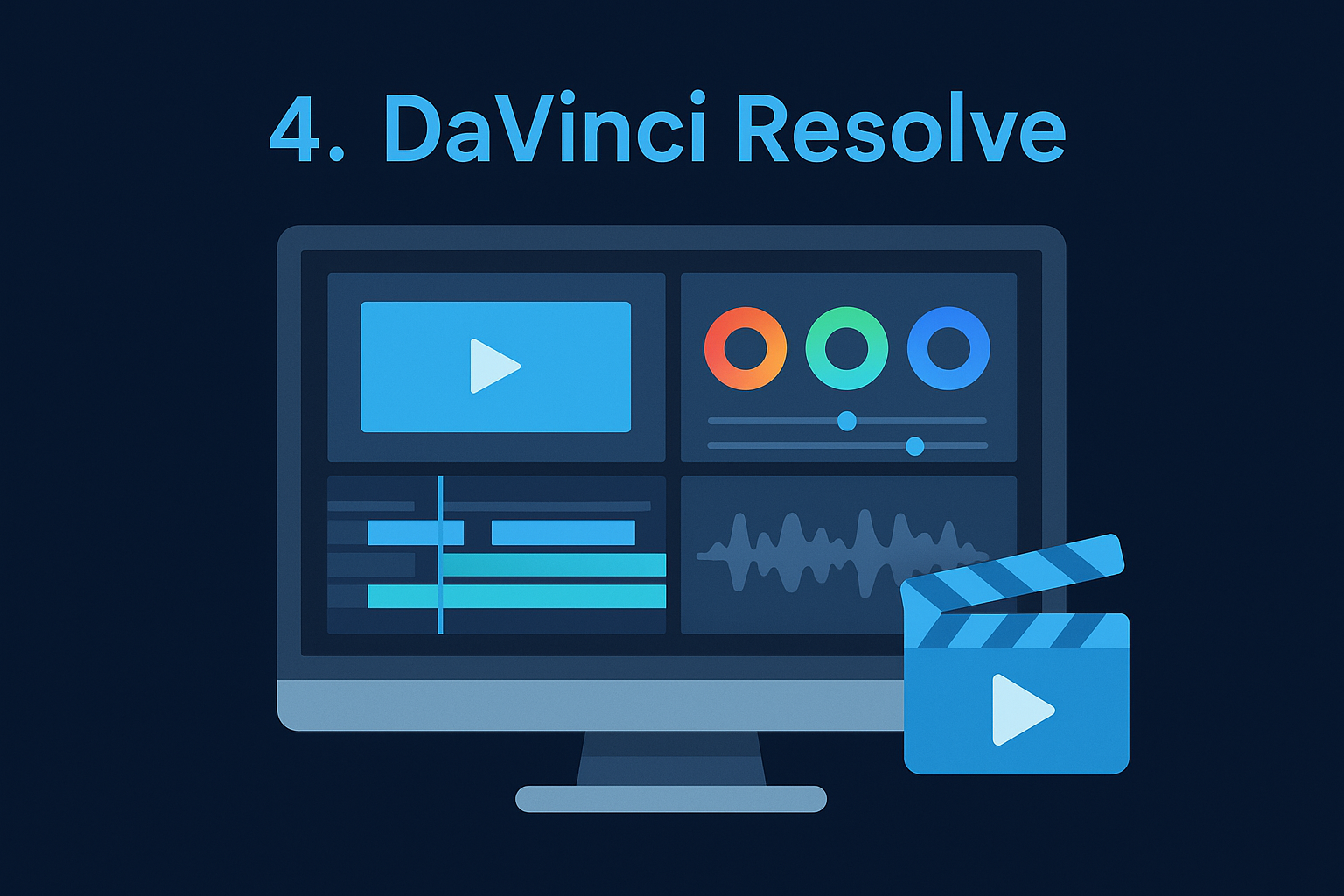
Resolve combines video editing, color grading, visual effects, and audio mixing in a single application, organized across dedicated pages for each discipline. You switch between editing, color, Fairlight audio, and Fusion VFX without leaving the software, which keeps your entire post-production workflow inside one tool.
Best for
Resolve fits color-focused editors and professional production teams who need serious grading tools alongside a capable NLE.
- Filmmakers and colorists who prioritize color science and grading precision
- Teams producing commercials, branded content, or documentary work
- Editors who want professional output without a subscription cost
Key strengths for Windows users
DaVinci Resolve is one of the strongest options if you're looking for the best video editing software for Windows at no cost. The free version delivers full-featured editing and color tools that outperform most paid alternatives.
The free tier of DaVinci Resolve offers more professional capability than most software that costs hundreds of dollars annually.
Limits to know
Resolve requires a powerful GPU and substantial RAM to run smoothly, and the interface has a steeper learning curve than consumer editors.
Pricing and licensing
The free version covers most professional needs, while DaVinci Resolve Studio costs a one-time fee of $295 for advanced collaboration and noise reduction tools.
5. Wondershare Filmora
Wondershare Filmora targets creators who want polished output without a professional learning curve. It sits firmly in the beginner-to-intermediate tier, but it packs enough features to handle most short-form and social content production without frustration.
What it is and how it works
Filmora uses a simplified timeline interface with drag-and-drop editing, built-in effects, and AI-assisted tools like auto beat-syncing and background removal. You get a structured editing experience that keeps the process fast and accessible, even if you have minimal post-production experience.
Best for
Filmora works well for individual creators and small teams who need quick turnaround without complex workflows.
- Social media creators publishing short-form content on a tight schedule
- Beginners looking for the best video editing software for Windows on a budget
- Business owners producing simple branded content in-house
Key strengths for Windows users
Filmora runs smoothly on mid-range Windows hardware and installs without configuration headaches. The AI tools handle repetitive tasks like [caption generation](https://socialrevver.com/blog/how-to-add-captions-to-videos) and audio cleanup, which saves you meaningful time during production.
Filmora's speed advantage is real for creators who prioritize publishing frequency over deep editorial control.
Limits to know
The watermark on the free version is prominent, and advanced color grading tools are limited compared to Resolve or Premiere Pro.
Pricing and licensing
Filmora costs $49.99 per year for the individual plan, with a perpetual license available for a one-time fee of $79.99.
Next Steps
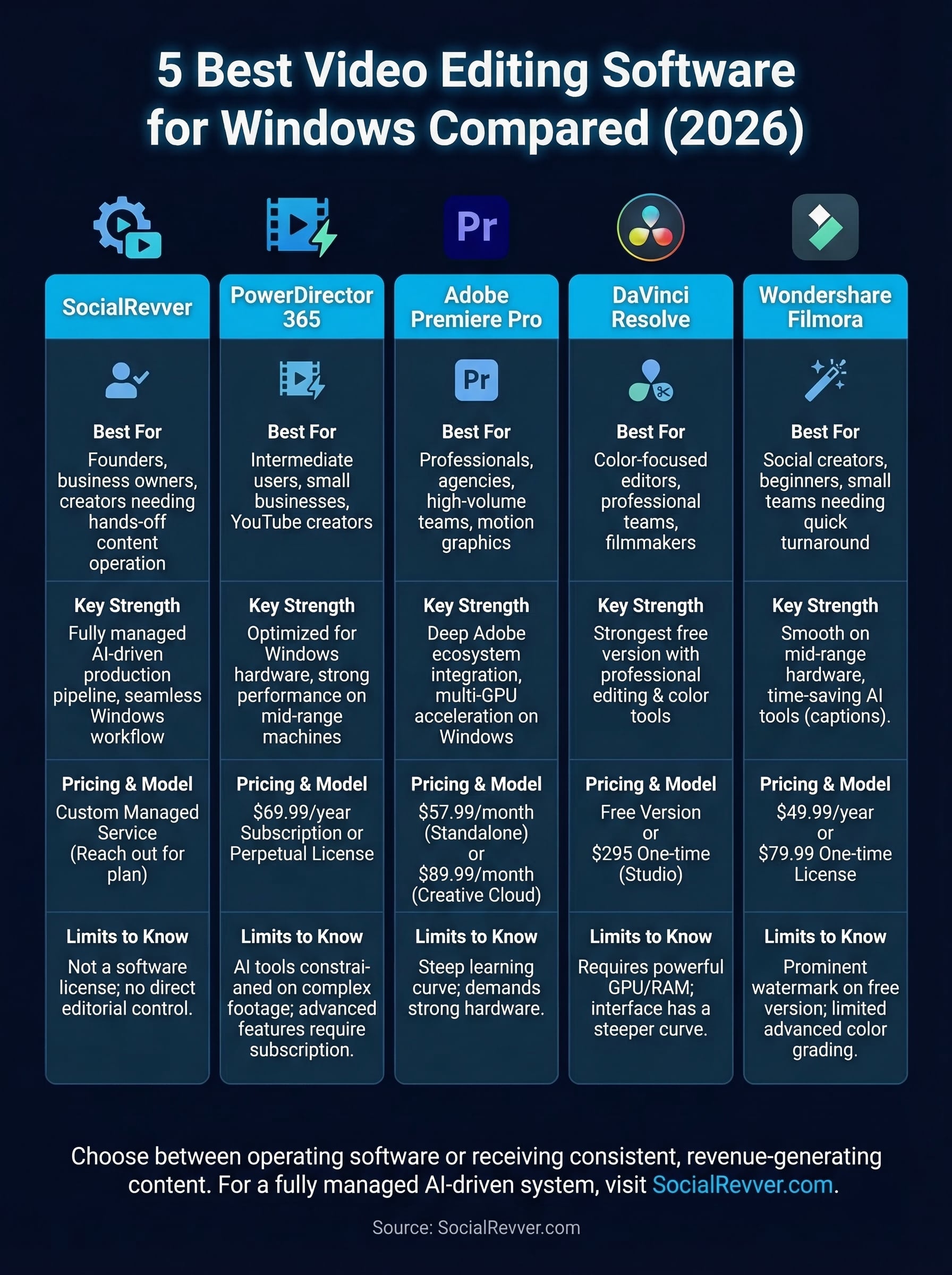
The five options above cover every major use case for the best video editing software for Windows, from free professional-grade tools to fully managed production systems. Your choice ultimately comes down to one honest question: do you want to operate the software, or do you want consistent, revenue-generating content?
If you're a founder, creator, or business owner who needs high-quality short-form content without managing an editing stack yourself, SocialRevver handles the entire production pipeline for you. Strategy, scripting, editing, and distribution all run as a single managed system built around your brand, your audience, and your specific growth goals. You stay focused on running your business while the content engine runs on its own.
Ready to see what a data-driven content system looks like applied to your brand? Get your free 40+ slide social media strategy and find out exactly how SocialRevver turns short-form content into a real business asset.