
Every piece of video content you've ever watched, from a YouTube tutorial to a Netflix documentary, went through an editing process before reaching your screen. Understanding what is video editing gives you insight into one of the most critical stages of content production, whether you're building a personal brand, scaling a business, or simply curious about how raw footage becomes a finished product.
At its core, video editing is the process of selecting, arranging, and refining recorded clips to create a cohesive final piece. It's where storytelling decisions get made, pacing gets dialed in, and disconnected shots transform into something that holds attention. At SocialRevver, our AI-supported editing pipeline handles these exact steps, cut optimization, motion pacing, sound design, to produce short-form content that converts. But regardless of scale or automation, the fundamentals remain the same.
This article breaks down the core techniques behind video editing, walks through a standard workflow, and explains the goals that guide every editing decision. By the end, you'll have a clear framework for understanding how editors turn hours of raw footage into minutes of polished content.
What video editing is and what it is not
When you ask what is video editing, you're really asking about the post-production stage where raw footage gets assembled into a watchable piece of content. Video editing happens after filming wraps. An editor receives recorded clips, reviews the material, and makes decisions about which moments to keep, where to cut, and how to arrange everything so the final product makes sense to viewers. This process involves technical work like trimming clips, syncing audio, and adjusting transitions, but it also requires creative judgment about pacing, emotional impact, and narrative structure.
Many people confuse editing with other stages of video production, or they assume editing means something far broader than it actually does. Video editing is a specific discipline within the larger production pipeline. It's not the same as shooting footage, and it's not the same as motion graphics or animation, though editors frequently collaborate with specialists in those areas. Understanding where editing starts and stops helps you plan better workflows and set realistic expectations for what a single editor can accomplish in a given timeframe.
The actual work of a video editor
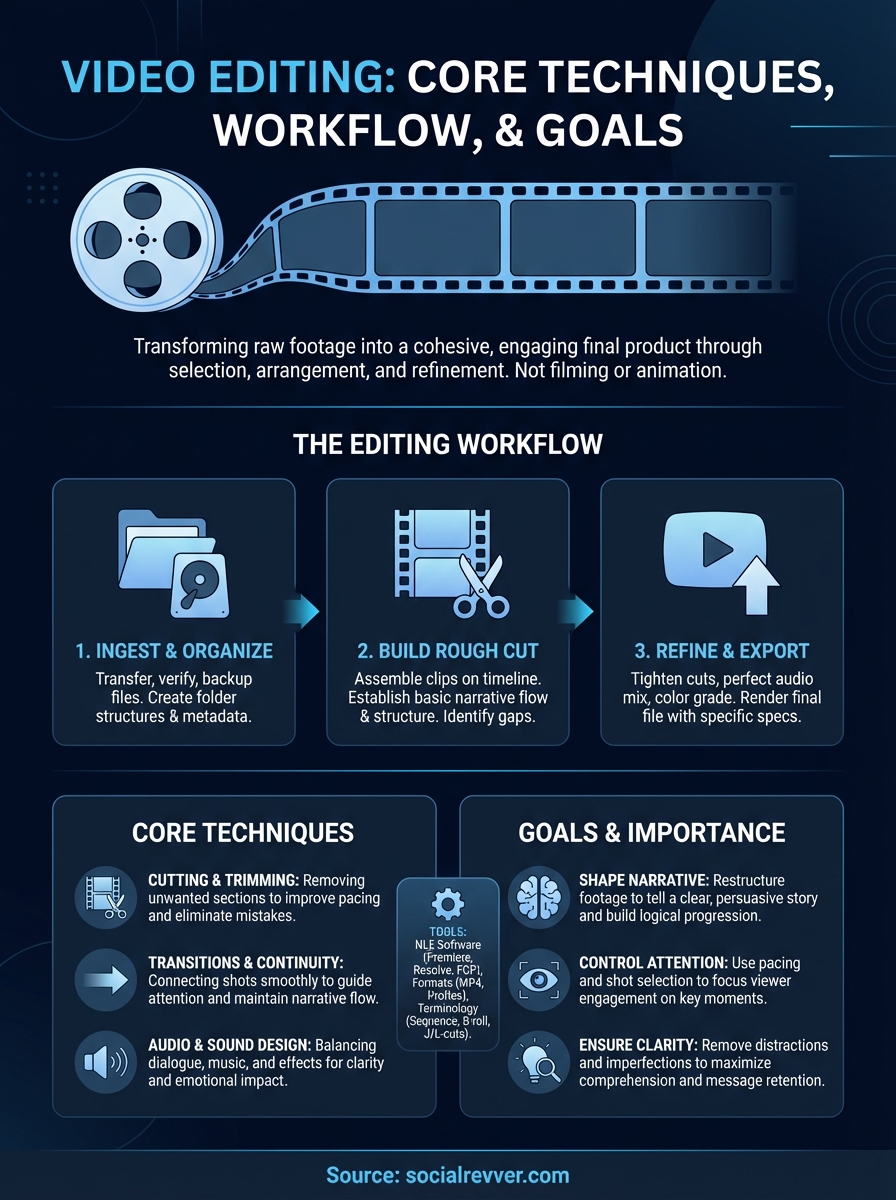
Video editing begins once you have recorded clips ready to work with. The editor's first task is reviewing all available footage to understand what material exists and what story the footage can tell. This review process involves watching every clip, taking notes on usable moments, and identifying the strongest takes. Once the editor knows what's available, they start building a rough cut by placing clips on a timeline in sequential order, removing unusable sections, and establishing the basic flow of the content.
After the rough cut exists, the editor refines timing and pacing. They adjust where cuts happen, how long each shot holds, and how transitions flow from one moment to the next. This stage also includes audio work like balancing volume levels, cleaning up background noise, and syncing dialogue to picture. Color correction happens here too, ensuring consistent visual tone across all clips. The editor continues iterating on these elements until the piece achieves the intended rhythm, clarity, and emotional impact.
Video editing transforms disconnected fragments of footage into a structured experience that guides viewer attention from beginning to end.
What video editing doesn't include
Video editing is not filming. Recording footage requires different skills, equipment, and planning than assembling that footage after the fact. When you hire someone to edit your content, you're not hiring them to operate cameras, set up lighting, or direct performances. They work with what you've already recorded. If the footage doesn't exist, the editor can't create it through editing alone.
Editing also doesn't include creating animations, complex motion graphics, or 3D visual effects from scratch. While editors often place motion graphics into their timelines and adjust how those elements appear, the actual creation of animated titles, lower thirds, or visual effects typically requires specialized software and skills beyond standard editing. Some editors have these additional capabilities, but motion design and editing are separate disciplines that happen to overlap in many production environments.
You should also distinguish editing from content strategy or scriptwriting. An editor can make suggestions about structure and offer input on what works based on the footage, but they're not responsible for the original concept, messaging, or strategic direction of the content. Those decisions happen before filming begins. The editor's job is to execute on the vision using the material provided. If you hand an editor unclear footage with no direction, they can assemble something watchable, but they can't retroactively inject strategic clarity that wasn't built into the production plan.
Why video editing matters for storytelling and clarity
Raw footage rarely tells a coherent story on its own. You might have great performances, beautiful shots, and solid audio, but without editing, viewers face a disconnected series of moments with no clear direction or emotional arc. Editing creates the connective tissue that transforms separate recordings into a unified experience. It determines which information reaches your audience, in what order, and at what pace, which directly impacts whether viewers stay engaged or click away within the first few seconds.
When you understand what is video editing at a functional level, you recognize it as the primary tool for controlling both narrative progression and viewer comprehension. Without deliberate editing choices, even well-produced footage fails to communicate effectively. The editing process removes confusion, emphasizes key moments, and builds momentum toward a specific outcome, whether that's education, entertainment, or conversion.
How editing shapes narrative structure
Editing gives you complete control over time and sequence within your content. You can compress hours of recorded material into minutes, skip irrelevant sections, and rearrange events to create suspense or clarity. When you place one clip before another, you create cause-and-effect relationships that may not have existed during filming. This power to restructure reality means editors essentially write the final story during post-production, regardless of what the original script intended.
Consider how a single interview can become multiple pieces of content through editing. You extract the strongest soundbites, remove filler words and long pauses, then reorder responses to build a logical progression of ideas. The person being interviewed may have answered questions in random order, but your editing decisions create a narrative that flows naturally for viewers. This restructuring happens in virtually every piece of professional content you consume.
Editing transforms chronological footage into persuasive sequences that guide viewers toward specific conclusions or actions.
Editing controls viewer attention and comprehension
Every cut, transition, and timing adjustment affects how viewers process information. When you hold on a shot for three seconds versus six seconds, you change how much time the audience has to absorb details and form opinions. Faster cuts increase energy and urgency, while longer holds allow for reflection and emotional connection. These pacing decisions directly impact whether your message lands with clarity or gets lost in noise.
Editing also removes obstacles to comprehension. You cut out stammering, false starts, background distractions, and technical errors that would otherwise pull focus from your core message. This refinement process ensures viewers spend their limited attention on content that matters rather than getting derailed by production imperfections.
Core video editing techniques you should know
Once you understand what is video editing and why it matters, you need to recognize the specific techniques that make editing effective. These methods form the foundation of professional post-production work, regardless of whether you're cutting together a TikTok video or a feature film. Mastering these core techniques allows you to make intentional decisions about how your content flows, sounds, and impacts viewers. Each technique serves a distinct purpose in the editing process, and skilled editors combine them to create polished final products.
Cutting and trimming clips
The most fundamental editing technique involves deciding where cuts happen and what footage to remove. You take a longer recorded clip and trim away unwanted sections at the beginning, middle, or end. This process eliminates mistakes, long pauses, and irrelevant content that would slow down your narrative. Every cut creates a decision point where you tell viewers "this moment is worth your attention" by keeping it, or "this moment doesn't serve the story" by removing it.
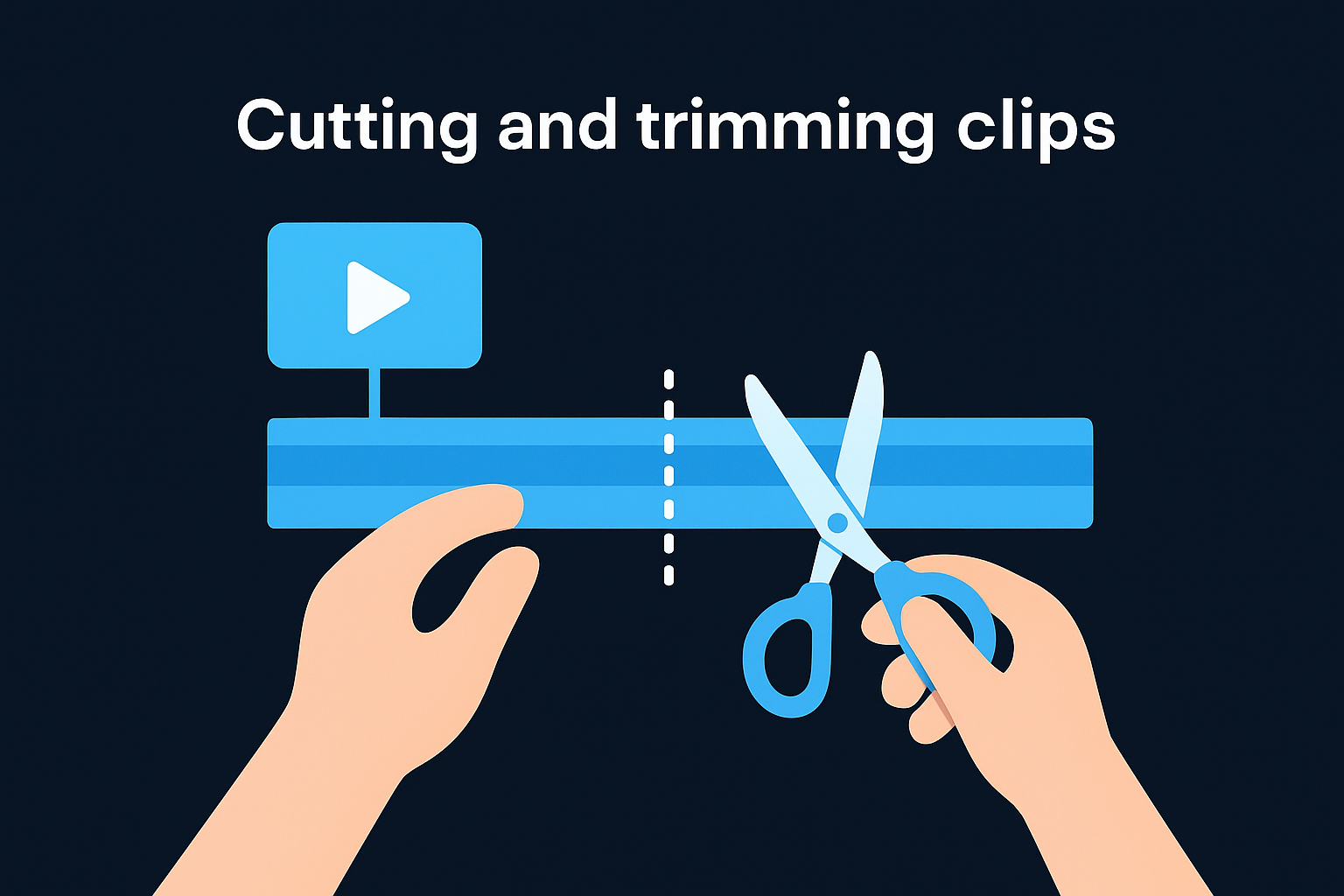
Beyond simple trimming, you also make choices about cut timing and rhythm. A cut that happens half a second earlier or later changes the feel of your content. Fast cuts between multiple angles create energy and urgency, while allowing shots to breathe creates space for reflection. Your cutting decisions directly control pacing, which determines whether viewers feel engaged or bored by your content.
Transitions and continuity
Transitions determine how one shot connects to the next shot in your timeline. The most common transition is a straight cut, where one clip ends and another immediately begins. You can also use fades, dissolves, wipes, or other effects to create specific emotional or temporal shifts between scenes. Most professional content relies heavily on straight cuts because they feel invisible to viewers, while flashy transitions draw attention to the editing itself.
Continuity editing ensures your cuts feel smooth rather than jarring. You match action across cuts, maintain consistent screen direction, and preserve spatial relationships so viewers can track what's happening. When you violate continuity rules intentionally, you create disorientation or surprise, which works for specific creative goals but typically disrupts comprehension when done accidentally.
Effective transitions guide viewer attention from one moment to the next without calling attention to the editing process itself.
Audio mixing and sound design
Audio editing involves balancing dialogue, music, and sound effects so viewers can clearly hear what matters most. You adjust volume levels across different clips, remove background noise, and ensure consistent audio quality throughout your piece. Poor audio editing destroys otherwise good video content because viewers tolerate visual imperfections far more easily than audio problems that make dialogue unintelligible or grating to hear.
Sound design adds layers beyond the original recorded audio to enhance mood and impact. You might add subtle ambient noise to create atmosphere, insert sound effects to emphasize actions, or use music to guide emotional responses. These audio elements work alongside your visual cuts to create a complete sensory experience that keeps viewers engaged from start to finish.
The video editing workflow from footage to final export
Professional editors follow a consistent workflow that takes raw footage through multiple stages before reaching final delivery. Understanding this process helps you plan timelines more accurately and communicate expectations with clients or team members. While specific steps vary based on project type and complexity, the fundamental progression remains the same across most editing projects. This workflow structure ensures nothing gets missed and quality stays consistent from one project to the next.
When you know what is video editing at a practical level, you recognize it as a multi-phase system rather than a single task. Each phase builds on the previous one, moving footage progressively closer to a finished state that meets technical specifications and creative goals.
Ingesting and organizing your footage
Your editing workflow begins with transferring recorded files from cameras or recording devices to your editing system. This ingestion process involves copying video files, verifying they transferred correctly, and creating backup copies to prevent data loss. You never edit directly from camera cards because accidental deletion or corruption would destroy original footage.
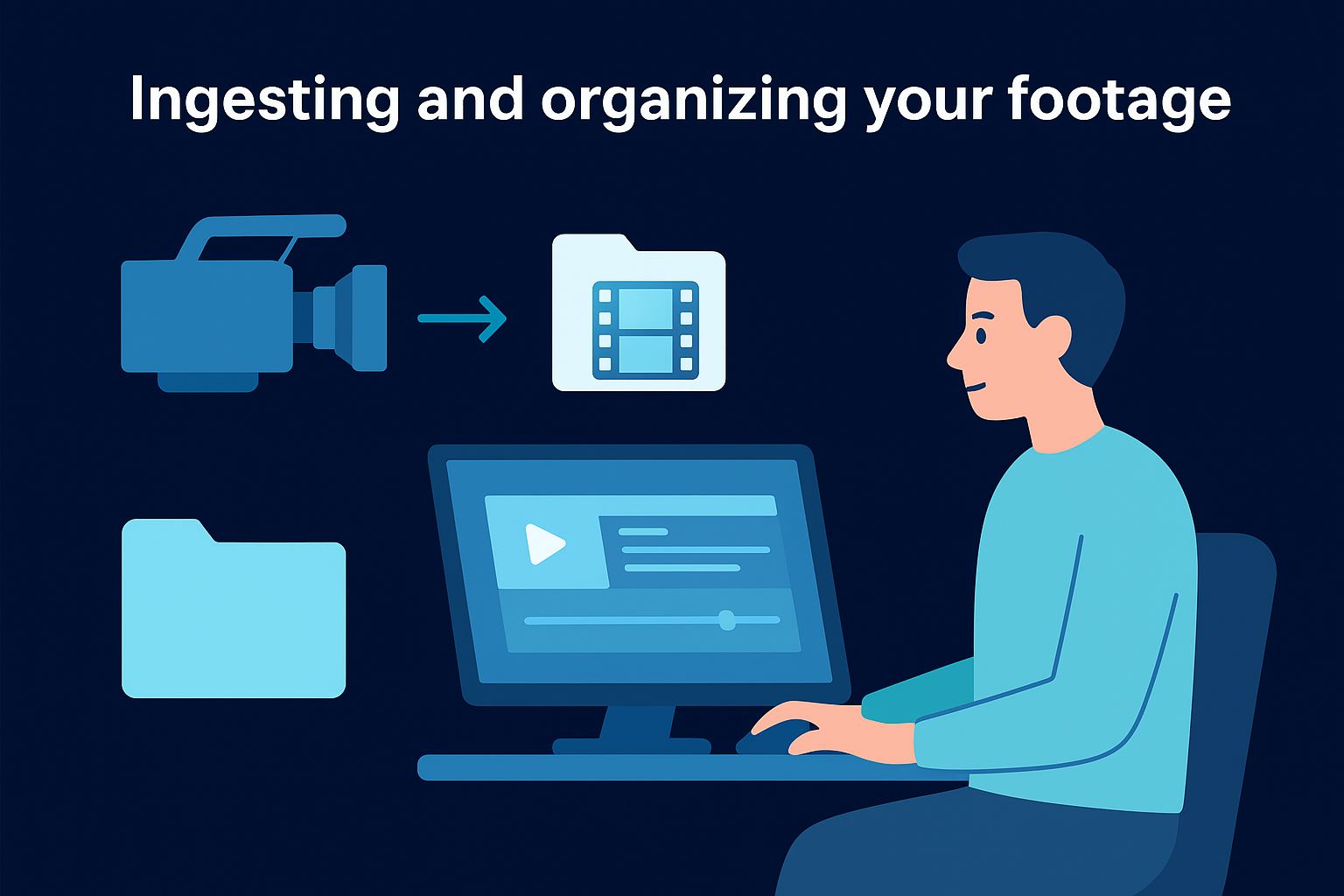
Organization happens immediately after ingestion. You create folder structures that group related clips together, name files descriptively, and tag footage with metadata that makes specific shots easy to find later. Projects with hundreds of clips become unmanageable without systematic organization. Many editors spend 30 to 60 minutes organizing footage before they make a single cut, because that upfront investment saves hours of searching through disorganized files during the editing process.
Building the rough cut
The rough cut represents your first complete assembly of the project from beginning to end. You place clips on the timeline in approximate sequence, establish basic structure, and verify you have footage for every required moment. This version typically runs longer than the final edit because you haven't tightened timing yet. Your goal at this stage is proving the story works and identifying gaps in coverage that might require additional shooting or creative solutions.
The rough cut transforms scattered footage into a testable narrative structure that reveals what works and what needs adjustment.
During this phase, you make broad creative decisions about which takes to use, how scenes flow together, and where the overall pacing drags or rushes. You don't obsess over precise timing or polish individual moments. Instead, you focus on getting a working version that stakeholders can review and provide feedback on before you invest time in refinement.
Refining and exporting the final product
Refinement involves tightening cuts, perfecting audio mix, adjusting color grade, and adding finishing touches like titles or graphics. You implement feedback from stakeholders, fix technical issues, and polish every element until the piece meets quality standards. This stage typically takes longer than building the rough cut because you work on details that require precision and multiple review passes.
Export happens once all stakeholders approve the final cut. You render the timeline into a standalone video file with specific technical specifications for the intended distribution platform. Different platforms require different export settings for resolution, frame rate, and compression. You verify the exported file plays correctly before delivering it to clients or uploading it to hosting platforms.
Common tools, formats, and terms editors use
Understanding what is video editing requires familiarity with the technical environment where editing actually happens. You work within specific software applications, handle multiple file formats, and communicate using standardized terminology that speeds up collaboration and problem-solving. These tools and terms form the practical foundation of editing work, regardless of whether you edit professionally or create content for your own brand. Knowing this technical landscape helps you make informed decisions about equipment investments, workflow efficiency, and quality expectations.
Software platforms editors rely on
Professional editors use non-linear editing (NLE) software that displays footage on timelines and allows frame-by-frame precision. Adobe Premiere Pro dominates professional editing environments because it integrates seamlessly with other Creative Cloud applications and handles virtually any video format. DaVinci Resolve has grown popular because it combines professional-grade editing with advanced color correction tools in a single application. Final Cut Pro remains the standard for many Mac-based editors due to its optimized performance on Apple hardware.
Your choice of editing software depends on your operating system, budget, and specific workflow needs. Free options like DaVinci Resolve's basic version provide surprising power for zero cost, while subscription-based platforms offer continuous updates and cloud collaboration features. Most professional editing can happen in any major NLE, so you should prioritize learning editing principles over memorizing software-specific button locations.
Mastering one professional editing platform gives you transferable skills that apply across virtually all editing software.
Video formats and codecs you'll encounter
Video files come in different containers (formats) and use various compression methods (codecs) that affect file size, quality, and compatibility. MP4 files using H.264 compression represent the most common format because they balance quality with manageable file sizes. MOV containers often hold higher-quality footage recorded by cameras, while formats like ProRes and DNxHD serve as intermediate codecs optimized for editing performance rather than final delivery.
Understanding formats matters because different stages of your workflow require different specifications. You might edit with high-quality proxy files to maintain smooth playback, then switch to original full-resolution footage for final export. Export settings vary by destination platform, with Instagram requiring different specifications than YouTube or broadcast television.
Essential editing terminology
Editors use specific terms to describe technical and creative concepts that occur repeatedly during projects. A "sequence" refers to your timeline where clips get arranged, while "bins" organize your footage into manageable groups. "B-roll" describes supplemental footage that covers primary content, and "J-cuts" or "L-cuts" describe audio that extends beyond visual cuts to create smoother transitions between scenes.
Familiarity with these terms accelerates communication when you collaborate with other editors or hire editing support. You can describe exactly what adjustments you need without lengthy explanations or visual demonstrations.
Next steps
You now understand what is video editing and how it transforms raw footage into content that drives results. This knowledge gives you a foundation for evaluating your current content production process and identifying where editing improvements can increase viewer retention and conversion rates. Whether you handle editing internally or hire external support, you can now make informed decisions about workflow efficiency, technical requirements, and quality standards.
If you want to remove editing bottlenecks from your content system entirely, SocialRevver's AI-supported editing pipeline handles the entire post-production process for you. Our team combines behavioral science with machine learning to optimize every cut, transition, and audio element for maximum engagement. We transform your recorded footage into short-form content that builds authority and generates inbound leads without requiring your ongoing involvement. Apply to work with our team and receive a free 40+ slide social media strategy that shows exactly how our editing system can scale your brand.