
YouTube Shorts hit one billion daily views within months of launch. Now, they're a core part of how creators and businesses build audiences on the platform. But if you're asking what are YouTube Shorts, you're likely wondering whether this format deserves your attention, and how it actually works.
The short answer: YouTube Shorts are vertical videos under 60 seconds designed for quick, mobile-first consumption. They live in their own feed, have their own algorithm, and come with specific technical requirements that differ from standard YouTube uploads.
At SocialRevver, we build short-form content systems for founders, creators, and business owners who want to turn organic attention into revenue. YouTube Shorts is one of the key platforms we optimize for, because when you understand how the format works, you can engineer content that compounds over time instead of hoping something randomly performs.
This guide breaks down everything you need to know: the exact specifications, how Shorts differ from regular videos, how the algorithm prioritizes content, and the monetization options available. Whether you're evaluating Shorts as a growth channel or just trying to understand the basics, this is your starting point.
What counts as a YouTube Short in 2026
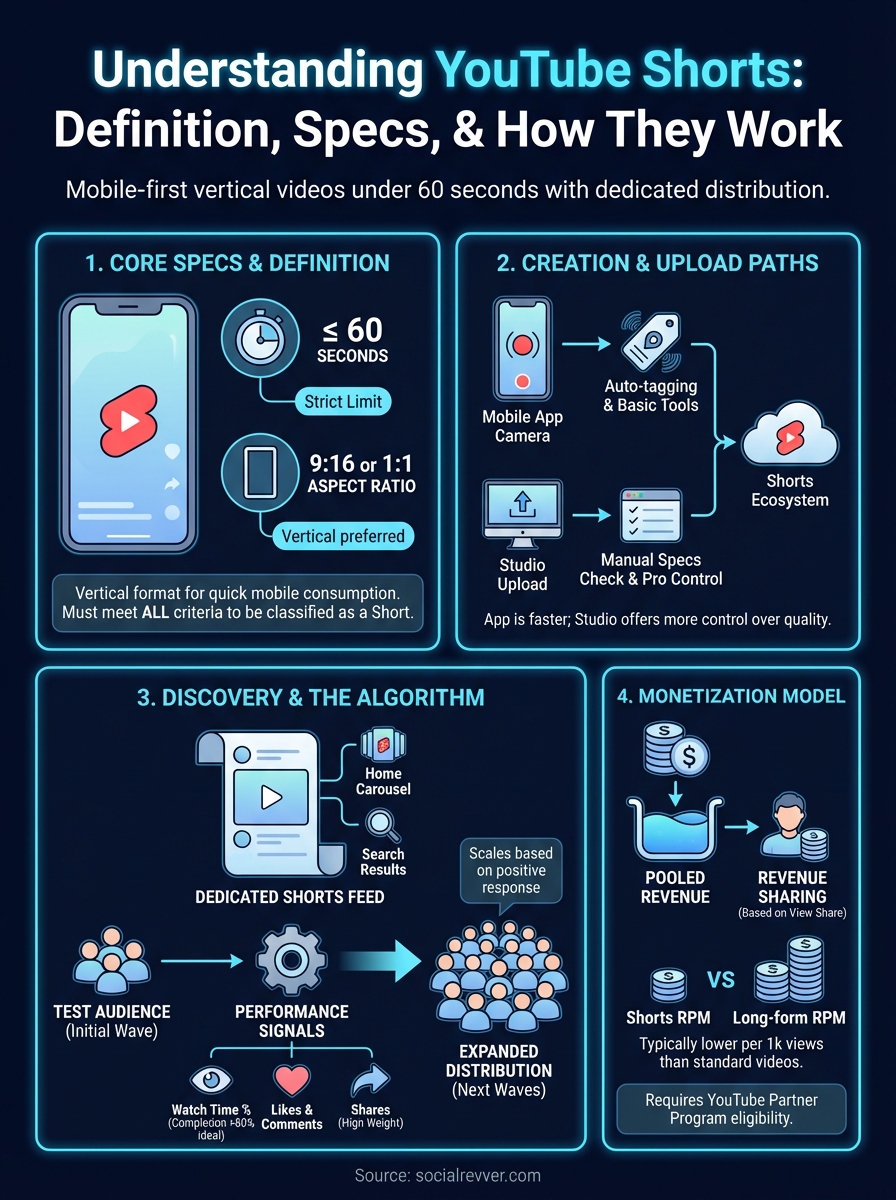
YouTube uses three primary criteria to classify a video as a Short: duration, aspect ratio, and where you upload it. When you ask what are YouTube Shorts, the technical answer comes down to these specific rules. A video doesn't become a Short just because it's vertical or brief. It needs to meet all the platform requirements to enter the Shorts feed and access the dedicated algorithm.
Understanding these rules matters because misclassifying your content means it won't reach the Shorts audience. You could create a 50-second vertical video that never enters the Shorts ecosystem because you uploaded it wrong. The platform treats Shorts and regular videos as separate content types, each with distinct distribution paths and performance metrics.
Duration requirements
Your video must be 60 seconds or less to qualify as a Short. YouTube measures this from the first frame to the last, including any outros or branded elements you add. If your video hits 61 seconds, the platform automatically treats it as a standard upload, regardless of how you formatted it.
This time limit is hard-coded into the system. You can't override it by adding "#Shorts" to your title or description. The platform checks the file duration during upload and assigns classification based on that number alone. Many creators lose Short status by adding a few extra seconds of branding without realizing they crossed the threshold.
The 60-second limit isn't negotiable. Even one second over kicks your content out of the Shorts feed entirely.
Aspect ratio and orientation
YouTube Shorts require a vertical or square aspect ratio. The platform accepts 9:16 (full vertical), 1:1 (square), and anything in between. Horizontal videos (16:9) never qualify as Shorts, even if they're under 60 seconds. The system reads your video dimensions at upload and uses that data to determine eligibility.
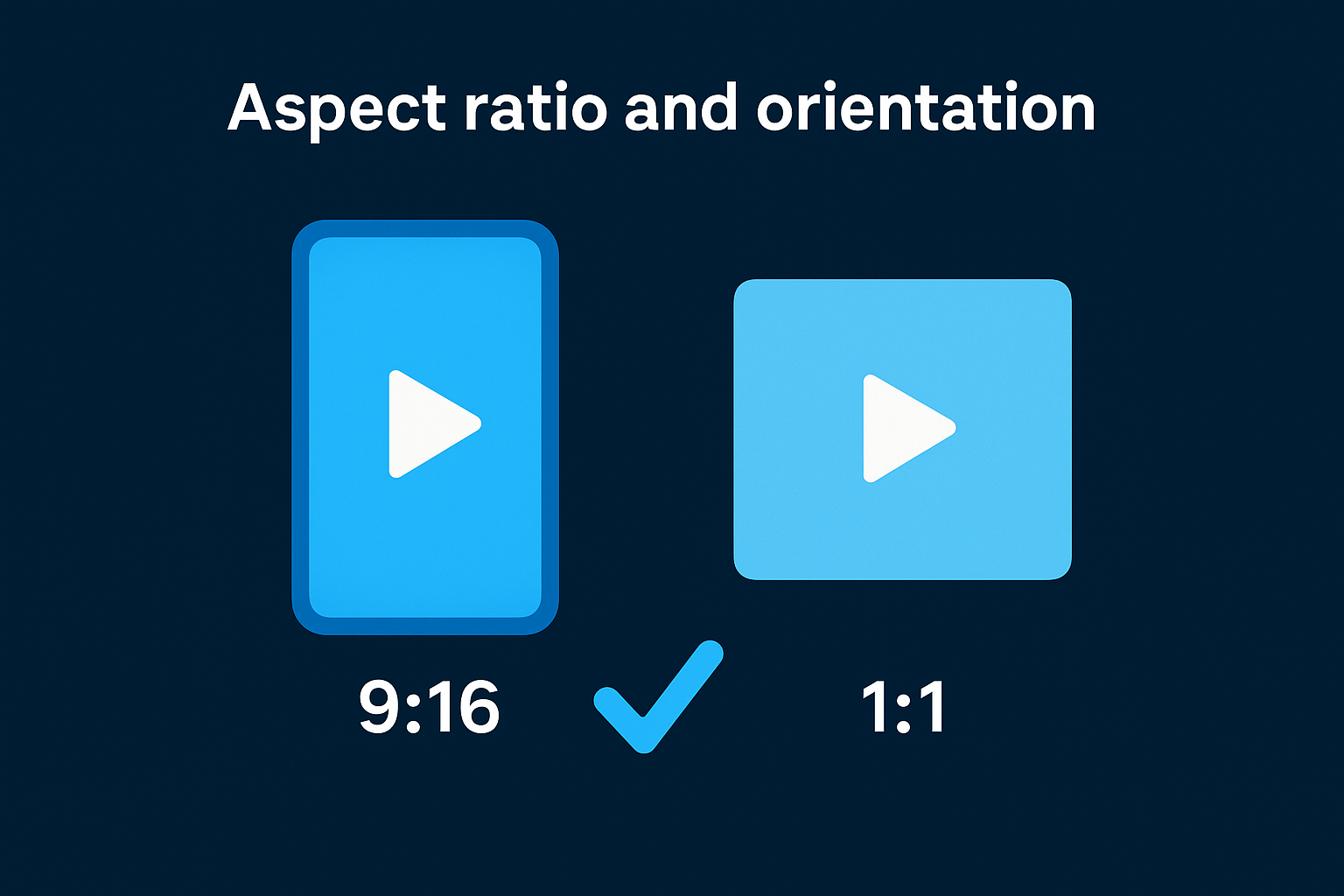
Most creators use 9:16 because it fills the entire mobile screen and matches how people naturally hold their phones. Square videos (1:1) technically work but leave black bars at the top and bottom, which reduces visual impact and engagement. The algorithm doesn't penalize square videos, but viewers tend to skip content that doesn't use the full screen.
Upload location matters
You can upload Shorts through two different paths: the YouTube mobile app's Shorts camera or the standard YouTube Studio upload interface. Both methods work, but they send different signals to the platform. When you use the Shorts camera, YouTube automatically tags your content correctly and optimizes compression for mobile playback.
Standard uploads require you to manually ensure your video meets duration and aspect ratio requirements. The platform still classifies them as Shorts if they fit the specs, but you lose access to some mobile-specific editing tools. Professional creators often record externally, edit on desktop, then upload through Studio because it gives them more control over quality and post-production.
The "#Shorts" hashtag in your title or description doesn't determine classification. YouTube originally recommended this tag during the beta phase, but the platform now relies entirely on technical specifications. You can include the hashtag for clarity, but it won't force a horizontal or 65-second video into the Shorts feed. The system makes that decision based on file properties, not metadata.
YouTube Shorts specs and requirements
Beyond the basic 60-second duration and vertical orientation, YouTube enforces specific technical standards that determine whether your Short gets processed correctly and distributed to viewers. If you're still wondering what are YouTube Shorts from a production standpoint, these specifications define the quality thresholds your content must hit. Upload a file that doesn't meet these requirements, and you'll face processing errors, reduced video quality, or content that never reaches the Shorts feed.
The platform handles Shorts differently than standard videos during file processing. YouTube applies mobile-specific compression algorithms, optimizes for cellular data streaming, and adjusts playback based on connection speed. When you understand these technical boundaries, you can shoot and edit content that maintains maximum quality after YouTube's compression.
File format and resolution
YouTube accepts Shorts in MP4 and MOV formats, with H.264 video codec and AAC audio codec as the recommended combination. These formats balance file size with visual quality, which matters when your audience watches on mobile devices with varying internet speeds. Other formats technically upload, but they require additional processing time and may result in quality degradation.
Resolution requirements start at a minimum of 480p, though YouTube recommends uploading in 1080p or higher. The platform scales your video down for playback based on viewer bandwidth, but starting with higher resolution gives the compression algorithm more data to work with. Most creators shoot in 1080p because it provides clear visuals without creating massive file sizes that take hours to upload.
YouTube's compression is more aggressive with Shorts than standard videos because the platform prioritizes fast loading times over maximum quality.
Frame rate should stay between 24 and 60 frames per second. Standard video uses 24 or 30 fps, while high-motion content (sports, action sequences) benefits from 60 fps. The platform doesn't reject Shorts shot at unusual frame rates, but playback performance suffers when you deviate from these standards.
Audio specifications
Your Short needs clear, balanced audio with levels between -14 and -16 LUFS (Loudness Units relative to Full Scale). YouTube automatically normalizes audio during processing, but starting with properly leveled sound prevents distortion and ensures your voiceover or music doesn't get crushed by compression. Videos with audio clipping perform worse because viewers skip content that hurts their ears.
The platform accepts mono or stereo audio tracks, with stereo being the standard for professional content. Sample rate should be 48 kHz with a bitrate of at least 128 kbps. Lower quality audio triggers viewer drop-off, especially when people use headphones or external speakers.
Thumbnail and title requirements
Shorts let you upload custom thumbnails, but YouTube auto-generates one if you don't. The platform pulls a frame from your video as the default thumbnail, which often looks worse than a designed image. Your thumbnail must be under 2MB in file size, use JPG or PNG format, and maintain a 9:16 aspect ratio to match the Short's orientation.
Titles have a 100-character limit, though YouTube truncates display at around 40 characters on mobile. Front-load your most important keywords and value proposition in the first few words because that's all viewers see before tapping your Short.
Where Shorts appear and how people watch them
YouTube surfaces Shorts in multiple locations across its platform, each designed to maximize visibility and encourage different viewing behaviors. Understanding where Shorts appear helps you predict how viewers discover your content and why certain videos perform better than others. The platform treats Shorts as high-priority content for mobile users, which means YouTube pushes them aggressively across the app's interface.
The dedicated Shorts feed
The Shorts shelf is a vertical scrolling feed that lives in its own tab within the YouTube mobile app. When you tap the Shorts icon in the bottom navigation, you enter a continuous stream of vertical videos that auto-play as you swipe up. This feed operates like TikTok or Instagram Reels, where each swipe loads a new Short without returning you to a menu or selection screen.
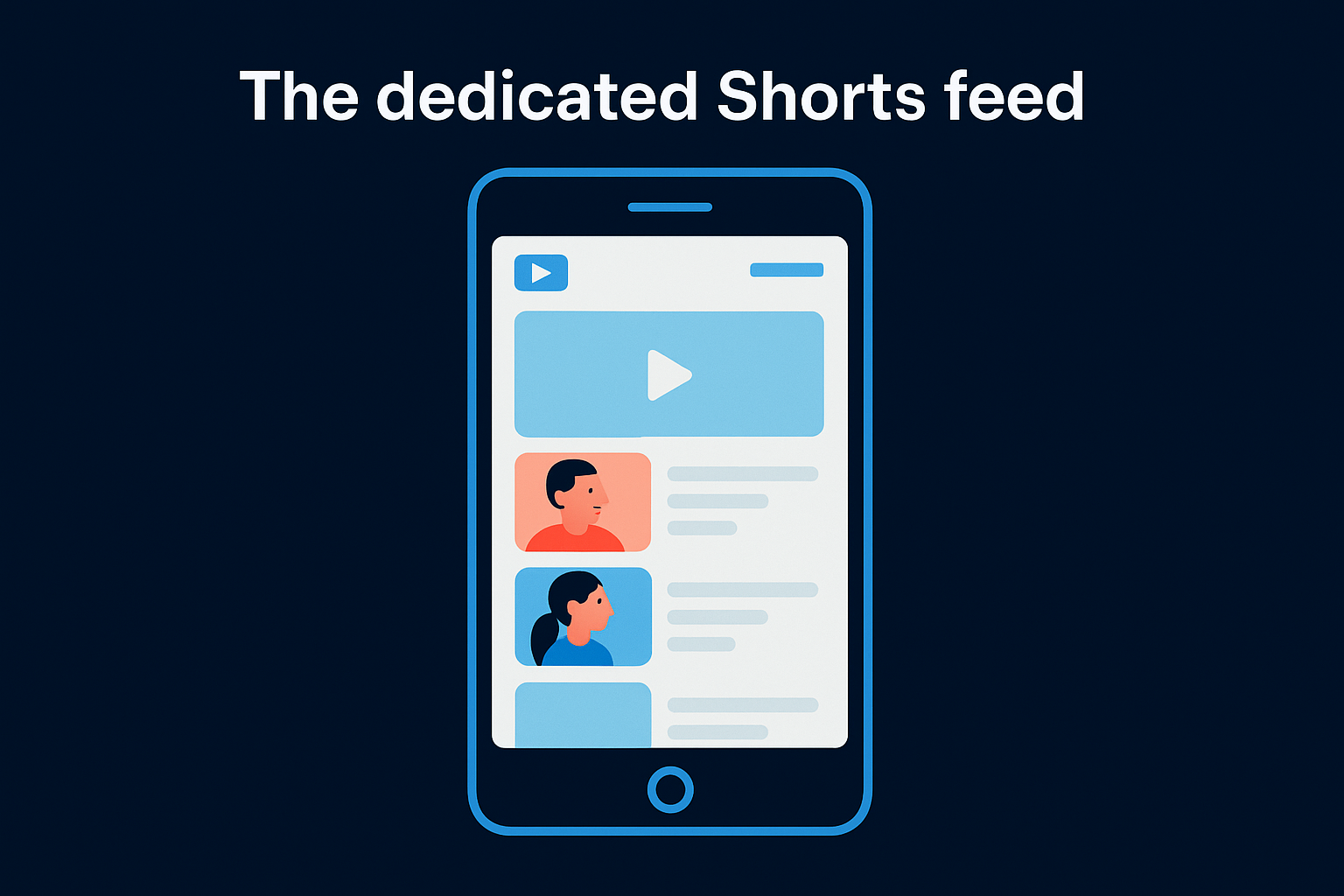
YouTube's algorithm curates this feed based on your watch history, engagement patterns, and content preferences. The platform doesn't show Shorts chronologically or from channels you subscribe to by default. Instead, it surfaces videos the algorithm predicts you'll watch completely, which means your Shorts compete with millions of others for feed placement.
The Shorts feed prioritizes watch time and completion rate over subscriber count, which levels the playing field for new creators.
Most viewers enter the Shorts feed intentionally when they want quick entertainment or have limited time. The average session length in the Shorts feed runs between 10 and 20 minutes, with viewers watching dozens of videos in a single sitting. This behavior differs from how people watch standard YouTube videos, where they typically search for specific content or watch from subscribed channels.
Home page and subscription integration
Shorts also appear on YouTube's main home page as a horizontal scrolling carousel labeled "Shorts." This placement sits among recommended videos and gives desktop users access to Short-form content without switching to mobile. When you click a Short from this carousel, it opens in a vertical player that lets you scroll through additional Shorts without returning to the home page.
Subscribed channels occasionally push Shorts into your subscription feed, though YouTube limits this to prevent overwhelming viewers who primarily want long-form content. The platform treats subscription-based Short views differently in its algorithm, giving them less weight than discovery through the dedicated Shorts feed.
Search results and channel pages
Shorts appear in search results when relevant to user queries, marked with a "Short" label to distinguish them from standard videos. They also display on your channel page in a dedicated Shorts tab, letting visitors browse your vertical content separately from your main uploads.
YouTube Shorts vs regular YouTube videos
Understanding the differences between Shorts and standard YouTube videos helps you decide where to invest your production effort and which format serves your content goals better. When you're evaluating what are YouTube Shorts versus traditional uploads, the distinctions go far deeper than just video length. The platform treats these formats as fundamentally different content types, each with unique distribution systems, audience behaviors, and performance metrics.
Duration and format differences
Standard YouTube videos run from 61 seconds to 12 hours, giving you unlimited creative space to develop ideas, explain complex topics, or build narrative arcs. Shorts cap at 60 seconds, which forces you to front-load value and eliminate unnecessary setup. This time constraint changes how you structure content, often requiring you to start with the payoff rather than building toward it.
Format requirements separate the two types even more clearly. Regular videos use 16:9 horizontal orientation optimized for desktop viewing and TV screens, while Shorts demand 9:16 vertical framing designed for mobile phones. You can't convert a horizontal video into a Short by trimming the length because the aspect ratio won't match platform requirements.
Shorts and regular videos compete in completely different feeds, which means they don't cannibalize each other's views.
Algorithm and discovery
YouTube's algorithm distributes Shorts and regular videos through separate recommendation systems. Standard videos rely heavily on search optimization, browse features, and suggested video sidebars where your title, thumbnail, and metadata directly impact discoverability. Shorts bypass most of these signals and instead surface in a dedicated feed where the algorithm tests content against broad audience segments to measure engagement quickly.
Subscriber notifications work differently between formats. Your subscribers receive push notifications for new standard videos if they've enabled that setting, but Shorts rarely trigger notifications even from channels they follow closely. The platform assumes viewers will discover Shorts organically through the scrolling feed rather than waiting for uploads from specific creators.
Monetization models
Regular YouTube videos generate revenue through pre-roll and mid-roll ads, channel memberships, Super Chat donations, and YouTube Premium watch time. Shorts monetize through the YouTube Partner Program's revenue sharing model, where you earn based on your share of total Shorts views and engagement. The payment structure differs significantly, with Shorts typically generating lower RPM (revenue per thousand views) than standard videos.
Viewer behavior also separates these formats. People watch standard videos when they want to learn something specific or be entertained for extended periods. Shorts viewers scroll quickly through content during short breaks or dead time, which creates higher view counts but less audience retention and lower conversion rates for products or services you promote.
How to make and upload a YouTube Short
You have two primary paths for creating Shorts: recording directly through the YouTube mobile app or producing content with external tools and uploading through YouTube Studio. Each method offers different levels of control over your final product. The in-app camera gives you quick access to basic editing features and instant upload, while external production lets you use professional software for more polished results.
Most creators start with the mobile app because it removes technical barriers and gets content live faster. Once you understand what are YouTube Shorts and how the format performs for your audience, you can decide whether investing in external production tools makes sense for your content strategy.
Recording directly in the YouTube app
Open the YouTube mobile app and tap the plus icon at the bottom of your screen, then select "Create a Short." This launches a vertical camera interface where you can record up to 60 seconds of footage in segments or as one continuous clip. The app includes basic editing tools like speed controls, timer countdown, and filters that apply in real-time during recording.
You can add music from YouTube's licensed library before or during recording, which automatically syncs to your video and credits the track. The app also lets you string multiple clips together, trim footage, and add text overlays using built-in templates. These features work well for simple content but lack the precision of professional editing software.
Creating Shorts with external tools
Professional creators typically record on their phones or cameras, then edit in software like Adobe Premiere Pro, Final Cut Pro, or CapCut before uploading. This workflow gives you frame-by-frame control over cuts, transitions, color grading, and audio mixing that the YouTube app can't match. You maintain higher video quality and can implement more complex visual effects or motion graphics.
Export your finished video as an MP4 file in 1080p resolution with a 9:16 aspect ratio. Keep the duration under 60 seconds and ensure your audio levels stay between -14 and -16 LUFS to prevent distortion after YouTube's compression.
The upload process
Navigate to YouTube Studio on desktop or tap the upload icon in the mobile app. Select your video file and YouTube automatically detects it as a Short if it meets the duration and aspect ratio requirements. Add a title (front-load your hook in the first 40 characters), write a description with relevant context, and upload a custom thumbnail if you want more control over first impressions.
YouTube processes Shorts faster than standard videos because the files are smaller and optimized for mobile playback.
Select your privacy setting (public, unlisted, or private), choose whether to allow comments, and hit publish. Your Short typically goes live within two to five minutes and enters the Shorts feed immediately once processing completes.
How the Shorts algorithm works
YouTube's algorithm for Shorts operates differently from the recommendation system that powers standard video discovery. When you're figuring out what are YouTube Shorts and how they gain traction, understanding this algorithm becomes critical because distribution depends on performance signals rather than subscriber count or channel size. The system tests your content against random audience segments, measures engagement within the first few hours, and scales distribution based on how viewers respond. This creates opportunities for new creators but also means every Short needs to hook attention immediately.
Performance signals the algorithm tracks
YouTube measures specific engagement metrics to determine whether your Short deserves wider distribution. Watch time percentage matters more than total views because the algorithm wants to know if people watched your entire 30-second video or bailed after three seconds. Shorts that maintain high completion rates (above 80%) signal quality content that keeps viewers engaged, which triggers the algorithm to test your video with larger audiences.

Engagement actions like likes, comments, shares, and saves tell the system your content resonated beyond passive viewing. The algorithm weighs shares particularly heavily because they indicate viewers found your Short valuable enough to send to friends or post elsewhere. Rapid engagement in the first hour after publishing creates momentum that pushes your Short into more feeds faster.
The algorithm tests every Short with a small audience first, then expands distribution based on how that initial group responds.
Content testing and distribution waves
YouTube releases your Short to a small test audience (typically a few hundred to a few thousand viewers) drawn from users who watch similar content. The platform tracks how this group interacts with your video during the first 1 to 3 hours after publishing. Strong performance triggers a second wave where your Short reaches tens of thousands of viewers, then continues scaling if engagement metrics stay high.
This testing process continues in waves as long as your Short maintains performance thresholds. Some Shorts peak within 24 hours while others gain momentum slowly over weeks as the algorithm identifies new audience segments that respond well to your content.
Viewer behavior patterns
The algorithm prioritizes Shorts that keep viewers in the feed longer rather than driving them away from YouTube entirely. If people watch your Short then immediately swipe to watch more, the system interprets that as positive engagement with the overall Shorts experience. Content that causes viewers to exit the feed or switch to other parts of YouTube signals lower quality, which limits your reach.
Monetization and analytics for Shorts
YouTube monetizes Shorts differently than standard videos, which directly impacts how much revenue you generate per view and what strategies make financial sense for your channel. Understanding these monetization mechanics matters because Shorts typically earn lower revenue per thousand views than long-form content, even though they can generate significantly higher view counts. The platform pools ad revenue from Shorts, then distributes earnings based on your share of total views and music usage, creating a fundamentally different payment model than the traditional pre-roll ad system.
Revenue sharing through the YouTube Partner Program
You need 1,000 subscribers and 10 million valid public Shorts views in the past 90 days to qualify for the YouTube Partner Program through Shorts. This threshold sits much higher than the standard video requirement (1,000 subscribers and 4,000 watch hours) because Shorts generate massive view counts faster than long-form content. Once accepted, you earn from a pooled revenue fund where YouTube combines all Shorts ad revenue, then allocates your portion based on your viewership percentage.
Shorts that use licensed music from YouTube's library split revenue between you and the music rights holders, which reduces your per-view earnings significantly. Content without licensed music keeps the full revenue allocation, making original audio or royalty-free tracks more profitable from a monetization standpoint.
The average Shorts RPM ranges from $0.05 to $0.10, compared to $3 to $5 for standard videos, which means you need 30 to 50 times more Short views to match long-form revenue.
Analytics metrics that matter
YouTube Studio provides specific analytics for Shorts that differ from standard video reporting. Unique viewers shows how many individual people watched your Shorts rather than total views, which helps you understand actual reach versus repeat viewers. The platform also tracks average view duration as a percentage, letting you identify where viewers drop off and which opening hooks keep attention.
Subscriber conversion rate tells you how many viewers subscribe after watching your Shorts, which matters more than raw views when you're building long-term audience value. Shorts attract casual viewers who rarely subscribe, so tracking this metric helps you identify content that actually converts attention into committed followers. Traffic source data reveals whether your views come from the Shorts feed, browse features, or external sources, informing where you should optimize for better distribution.
Click-through rate from Shorts to your channel or other videos measures how effectively your content drives viewers toward your monetizable long-form uploads or conversion points. When asking what are YouTube Shorts and their business value, this metric often matters more than direct Short revenue because it shows whether vertical content feeds your broader content strategy.
Where to go from here
You now understand what are YouTube Shorts, how the platform classifies them, and the technical specifications that determine whether your content enters the Shorts feed. The format offers legitimate distribution opportunities for creators and businesses willing to engineer content around behavioral patterns rather than hoping random uploads perform well.
The next step depends on whether you want to test Shorts manually or build a systematic approach to short-form content. Most founders and business owners don't have time to produce daily vertical videos while running their operations, which is where professional content infrastructure makes sense.
At SocialRevver, we build managed short-form content systems that handle strategy, scripting, production, and distribution for YouTube Shorts, Instagram Reels, and TikTok. If you want to see how a data-driven content engine could work for your brand, apply for a free strategy session where we analyze your market and map out a 90-day growth plan.