A what is a content calendar question usually pops up right around the time you realize posting "whenever inspiration strikes" isn't a strategy, it's a gamble. And if you're a founder or business owner trying to build real authority through short-form content, gambling with your brand's visibility isn't something you can afford.
A content calendar is the operational backbone behind every consistent social presence. It's the document (or tool) that maps out what you're publishing, where, and when, replacing guesswork with structure. At SocialRevver, content infrastructure is literally what we build for clients: systems that turn organic social into a predictable growth channel instead of a creative bottleneck.
This guide breaks down exactly what a content calendar is, why it matters for your marketing, and how to build one that actually works. You'll also find real examples and templates you can start using right away, whether you're planning content solo or handing it off to a team that runs the entire engine for you.
What a content calendar is and is not
A content calendar is a scheduled, organized plan that maps out every piece of content you intend to publish, including what it is, where it goes, and when it goes live. It is the operational layer of your content marketing. Understanding what is a content calendar means separating it from vague planning docs or inspiration boards. It is a working document with specific fields: topic, platform, format, publish date, and owner. That level of specificity is what gives it practical value.
What a content calendar actually is
At its core, a content calendar is a planning and coordination tool that gives you a clear, forward-looking view of your content output across days, weeks, or months. Whether you run it in a spreadsheet, a project management app, or a dedicated platform, the format matters far less than the consistency of what you track. A well-maintained calendar surfaces gaps before they become missed weeks, helps you spot imbalances in topic or format, and keeps everyone involved in production working from the same source of truth.
A content calendar converts content from a reactive task into a proactive system, which is what separates brands that post consistently from those that post in unpredictable bursts.
Your calendar should answer four questions for every single piece of content at a glance:
- What: the topic, title, or concept
- Where: the platform or channel (TikTok, LinkedIn, Instagram, etc.)
- When: the scheduled publish date and time
- Who: the person responsible for creating, reviewing, or posting it
If every row in your calendar answers all four, you have a functional system.
What a content calendar is not
Here is where most people make a costly mistake. A content calendar is not a content strategy. Strategy answers why you are creating content, who it is for, and what outcomes you are driving toward. The calendar is the execution layer, not the thinking layer. Treating the calendar as a substitute for strategy means you end up scheduling content with no clear purpose behind it.
Your calendar is also not a rigid script that locks you into decisions made weeks ago. Good calendars leave room for timely adjustments. If a trend surfaces in your industry or your last several posts underperformed, you need the flexibility to swap topics or shift formats without rebuilding the entire plan. A calendar that cannot adapt is a liability, not a system. The goal is structure that enables speed, not structure that creates unnecessary friction.
What to include in a content calendar
Knowing what is a content calendar gets you halfway there. The other half is knowing what fields to actually put in it. A calendar with too few fields becomes useless within days. One with too many fields becomes a form nobody wants to fill out. The goal is a lean, functional structure that captures exactly what your team needs to produce and publish content without confusion.
The core fields every calendar needs
Every entry in your calendar should include the same core set of fields, regardless of how many platforms you publish on or how large your team is. These fields create the minimum viable structure that makes your calendar actionable rather than decorative.
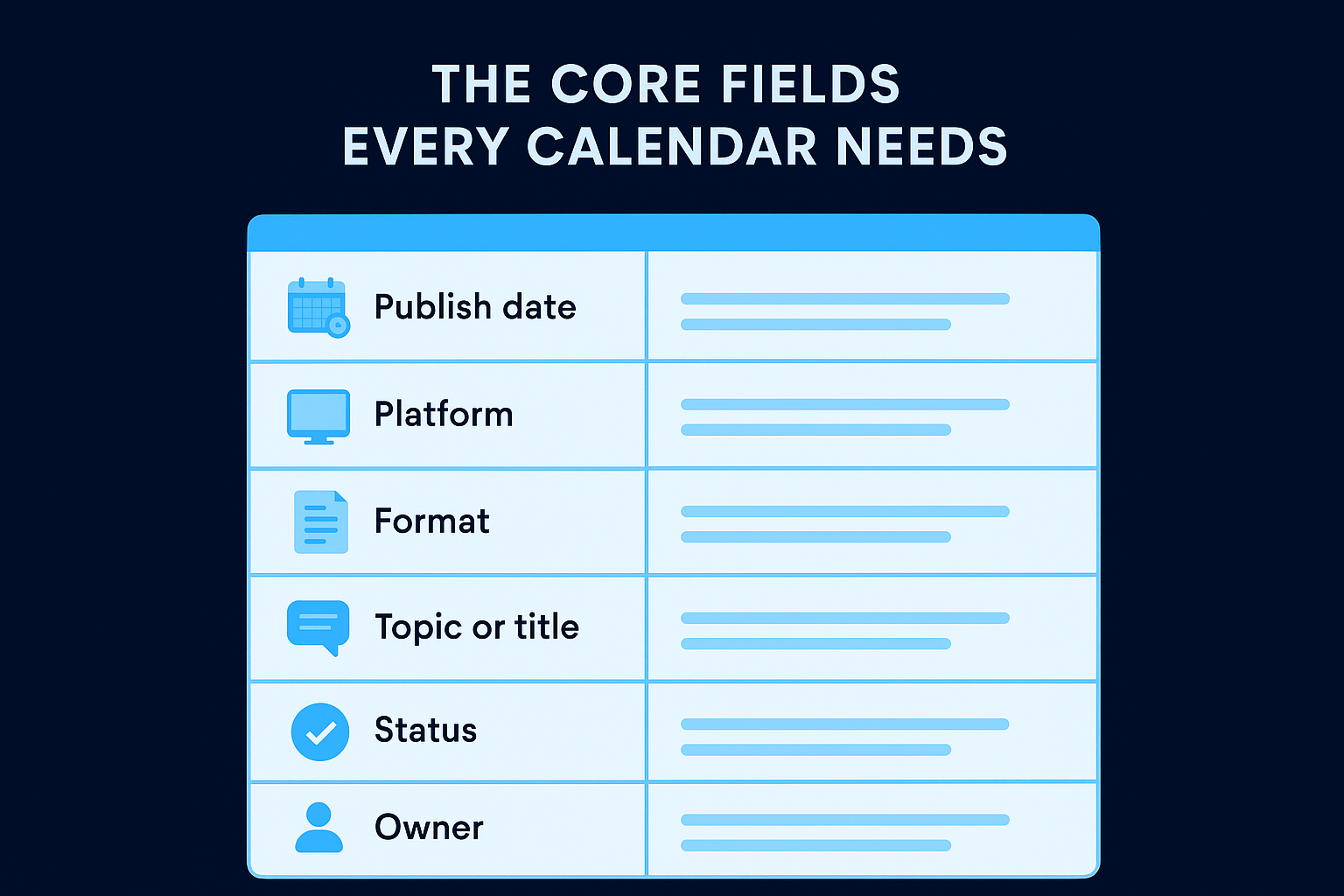
| Field | What to put here |
|---|---|
| Publish date | The exact date (and time if relevant) the content goes live |
| Platform | Where it publishes: TikTok, LinkedIn, Instagram Reels, YouTube Shorts, etc. |
| Format | The content type: short-form video, carousel, single image, blog post, etc. |
| Topic or title | A working title or clear description of the content concept |
| Status | Where it sits in production: not started, in progress, in review, scheduled, live |
| Owner | The person responsible for completing or approving each step |
A calendar without an owner column is just a wishlist. Assigning responsibility to a specific person is what turns planning into execution.
Optional fields worth adding
Once your core structure is running smoothly, you can layer in additional fields that add real production value. A brief hook or angle gives your editor or writer a head start on the concept without requiring a separate brief. Adding a performance column after content goes live lets you track what worked directly inside the same document, which makes your monthly review significantly faster and more useful.
Step 1. Choose the right format and tools
Before you build anything, you need to settle on where your calendar lives and what form it takes. This decision affects how fast you can update it, whether your team actually uses it, and how much friction shows up during production. The best format is the one you and your team will maintain consistently, not the most sophisticated one.
Spreadsheets vs. dedicated tools
Both options work. The difference comes down to team size and how much you want to automate. Spreadsheets (Google Sheets or Microsoft Excel) are fast to set up, easy to customize, and free. Dedicated tools like Notion or project management platforms give you status automation, assignee notifications, and filtering, but they take longer to configure.
Start with a spreadsheet if you are new to content calendars. You can always migrate to a more advanced tool once your workflow stabilizes.
Here is a quick comparison to help you decide:
| Option | Best for | Main advantage | Main limitation |
|---|---|---|---|
| Google Sheets | Solo creators, small teams | Free, flexible, shareable | No automation or alerts |
| Microsoft Excel | Teams already in Microsoft 365 | Familiar, offline access | Collaboration is clunkier |
| Notion | Teams wanting structure + databases | Views, filters, linked pages | Setup takes time |
| Project management tools | Larger teams with clear roles | Task ownership, status tracking | Overkill for simple setups |
How to pick what fits your setup
If you are a solo operator or a small team, a Google Sheet with the core fields from the previous section is all you need. Open a new sheet, create one tab per month, and add your column headers across row one. If you manage multiple people or multiple platforms simultaneously, a tool with assignee and status features reduces the back-and-forth and keeps production moving without manual check-ins.
Step 2. Build your calendar in 60 minutes
Now that you have chosen your tool, it is time to actually build the thing. Most people overthink this step and spend hours designing a system before posting a single piece of content. The 60-minute approach below strips that out. You will have a functional, ready-to-use calendar by the time you finish.
Minutes 0-15: Set up your structure
Open a new spreadsheet and create your column headers in row one. This is the only structural decision you need to make right now, so resist the urge to add fields you might use someday. Copy this template directly:
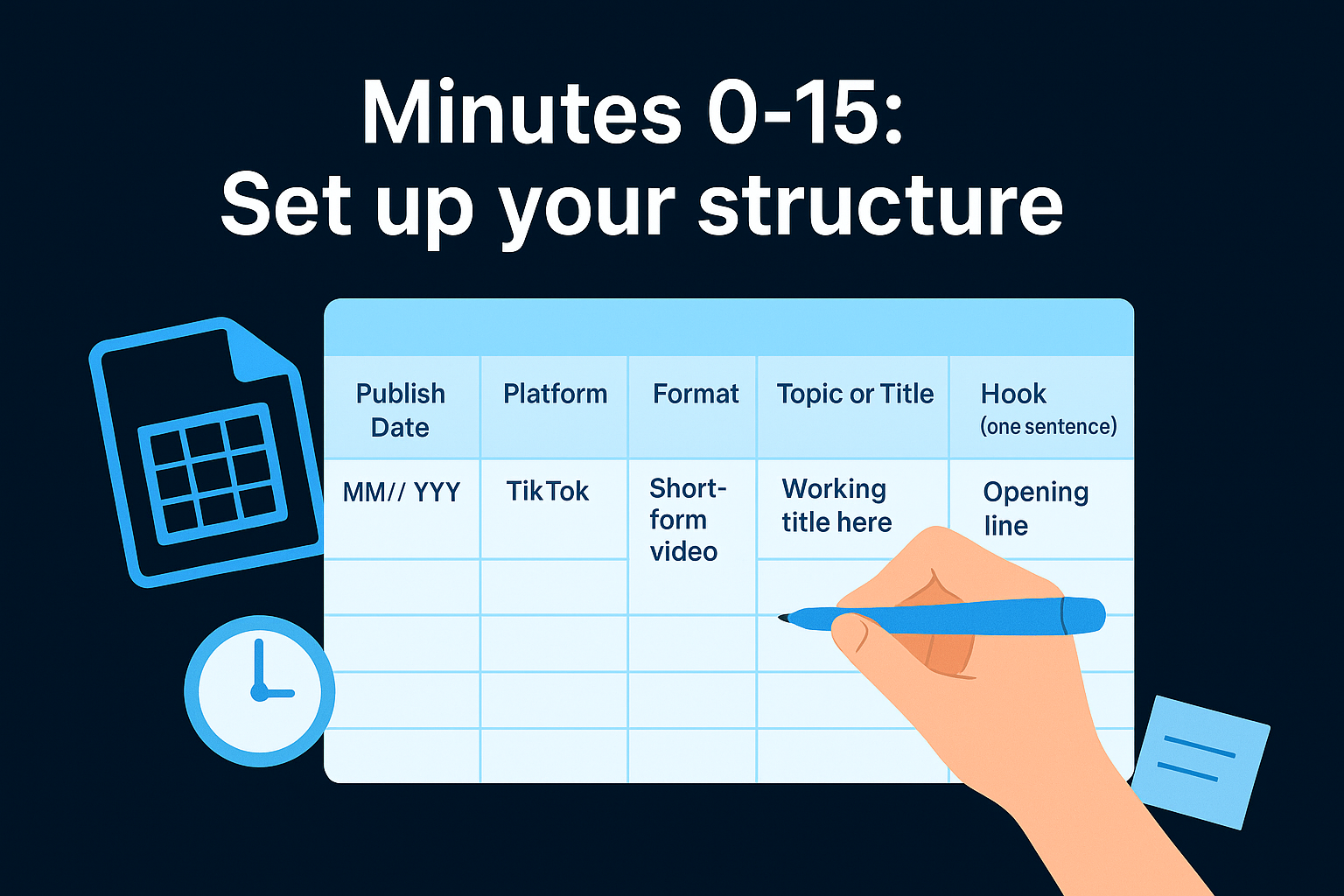
| Publish Date | Platform | Format | Topic or Title | Hook (one sentence) | Status | Owner |
|---|---|---|---|---|---|---|
| MM/DD/YYYY | TikTok | Short-form video | Working title here | Opening line or question | Not started | Your name |
Add one tab per month and label them clearly. Color-coding your status column (red for not started, yellow for in progress, green for live) gives you a visual snapshot of where production stands at any moment.
Your calendar structure should take no longer than 15 minutes to set up. If it is taking longer, you are adding unnecessary complexity.
Minutes 15-60: Fill in your first month
Start by blocking out your publishing frequency before you fill in any topics. Decide how many times per week you will post on each platform, then place publish dates in the calendar first. Fill topics in second. This order matters because it prevents you from planning 20 posts when you only have the production capacity for eight.
Work forward from today and fill a minimum of two full weeks before you stop. Two weeks of scheduled content gives you enough lead time to produce, edit, and review without rushing. A calendar that only plans three days ahead is not a system, it is a daily scramble with extra steps.
Step 3. Run, review, and improve every month
Building the calendar is the easy part. Running it consistently and updating it based on real performance data is what separates a functional system from a document that gets abandoned after three weeks. Once you treat what is a content calendar as a living record rather than a static plan, your output quality compounds over time because every month teaches you something the previous month could not.
Track performance as you go
Do not wait until the end of the month to log results. Each time a post goes live, add a performance entry within 48 to 72 hours while the data is still fresh and reliable. Record the metric that matters most to your goal, whether that is views, saves, shares, or link clicks. A simple three-column addition to your existing calendar works:
| Field | What to record |
|---|---|
| Views or reach | Total impressions or plays within 48 hours of publishing |
| Engagement rate | Likes, comments, and saves divided by total reach |
| Outcome | Profile visits, follows, or direct link clicks generated |
The posts that underperform tell you just as much as the ones that succeed. Both give you clear direction for what to adjust next month.
Run a 20-minute monthly review
At the end of every month, block 20 minutes to review what ran. Sort your calendar entries by performance and look for patterns across format, topic, hook style, and publish day. Use those patterns to adjust your next month's plan before you fill in any new topics, not after.
Your review should answer three questions each time:
- What worked: the format, hook style, or topic that consistently drove results
- What did not: content that underperformed across multiple data points
- What to test next: one specific variable to change in the coming month
Next steps
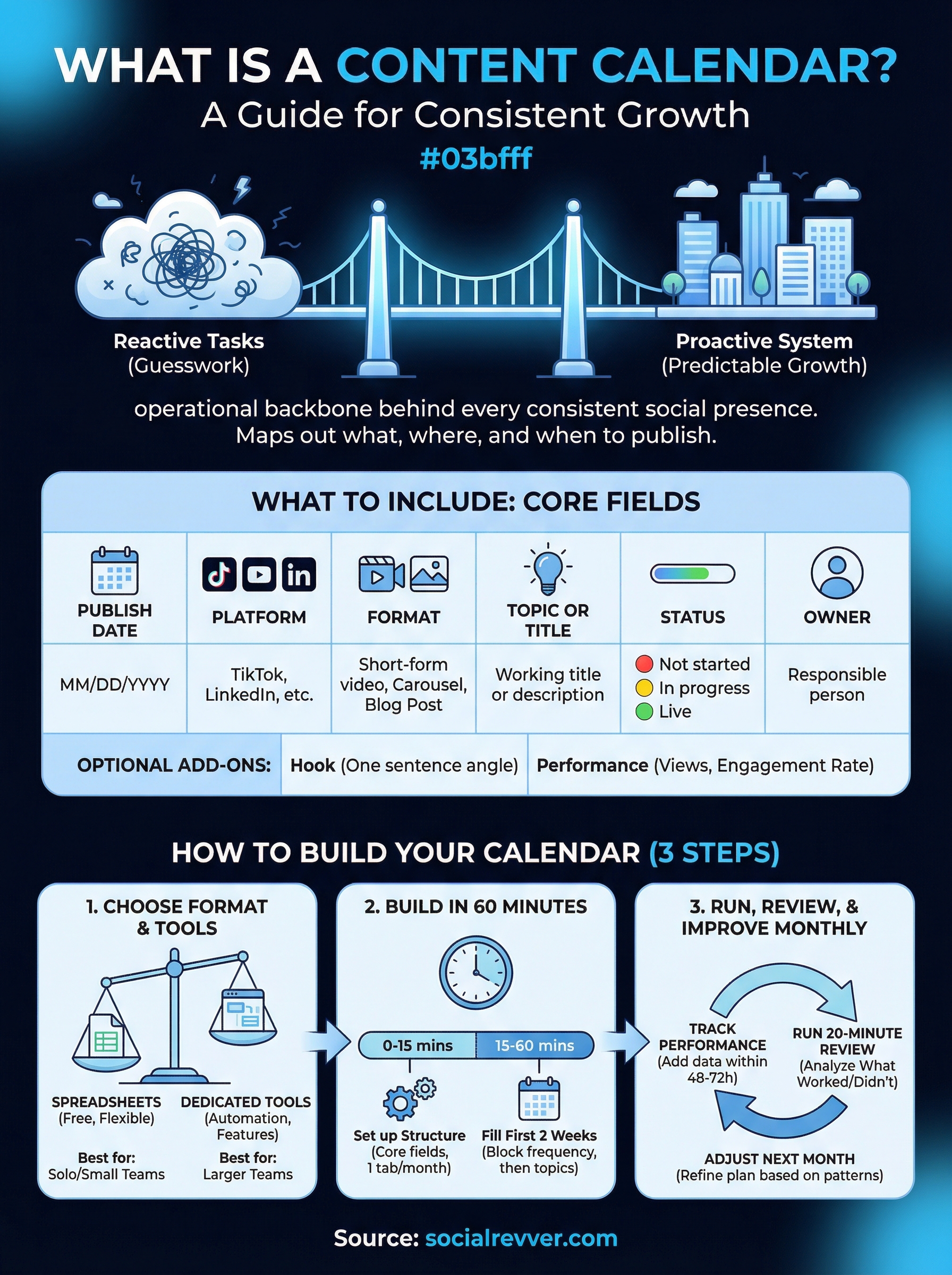
Now you know what is a content calendar and exactly how to build one that holds up past the first few weeks. The core framework is straightforward: pick a format your team will actually use, fill it with intentional topics, and review performance monthly to sharpen what you schedule next.
The challenge most founders and business owners run into is not building the calendar. It is keeping up with production once the calendar is full. Writing scripts, editing video, managing distribution, and reviewing data each require real time and attention, and stacking all of it on top of an already demanding schedule is where consistency breaks down.
If you want a fully managed content system that handles strategy, scripting, production, and distribution without adding to your plate, apply to work with the SocialRevver team and get a free 40+ slide social media strategy built specifically for your brand.