A scattered content workflow kills momentum faster than a bad algorithm update. If you're juggling posts across multiple platforms without a central hub, you already know the pain: missed publish dates, duplicated effort, and zero visibility into what's actually planned. A solid Notion content calendar template fixes that by giving you one place to map out every piece of content you produce, from ideation to publication.
At SocialRevver, we build managed content systems for founders and business owners who need their short-form strategy to run like a machine. Notion is one of the tools we see clients use most before they hand off production to us, and a good template makes a real difference. The right setup turns a blank workspace into a functional planning system in minutes.
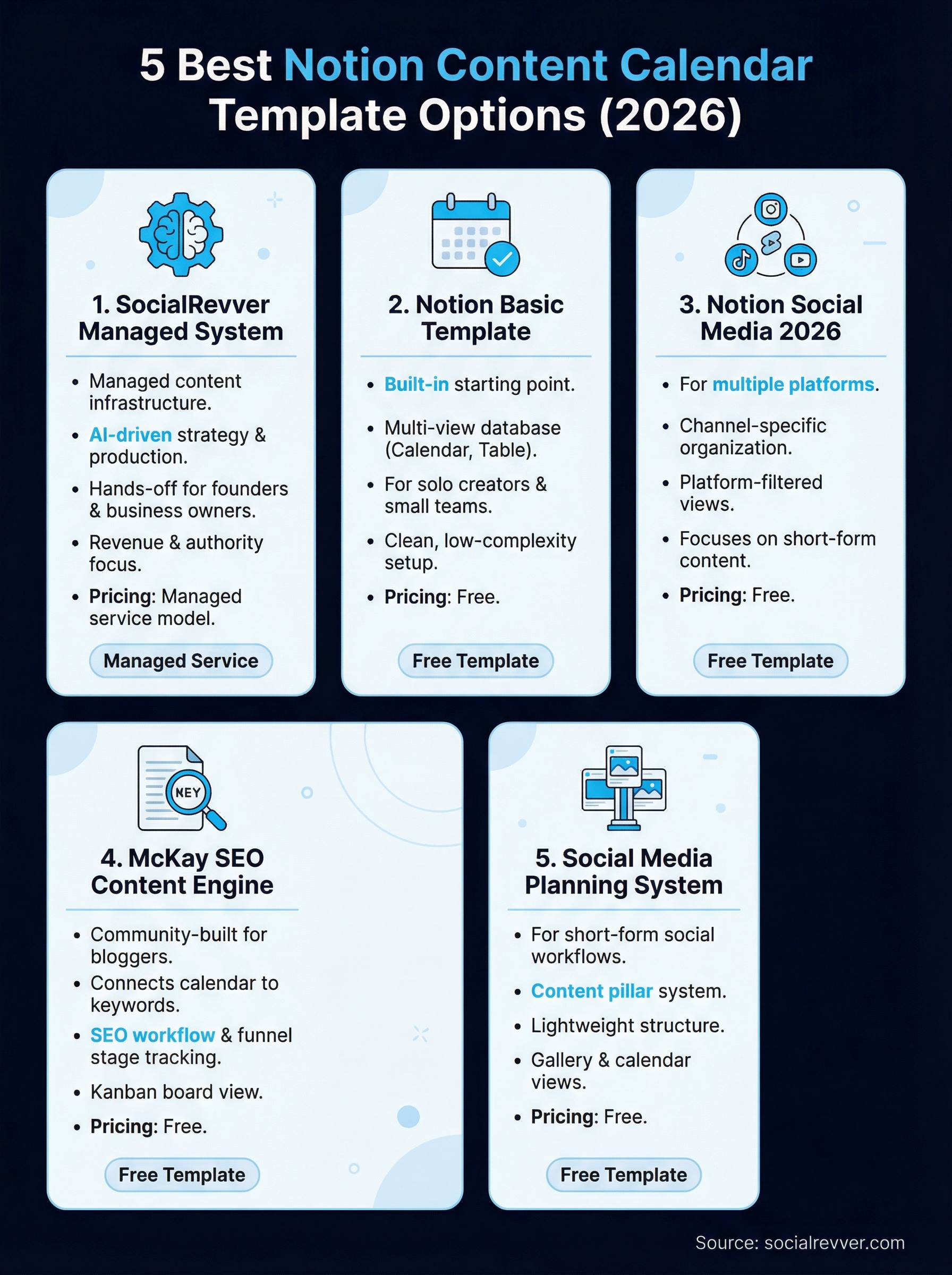
Below, we break down five of the best Notion content calendar templates available in 2026, what each one does well, where it falls short, and which type of creator it's built for.
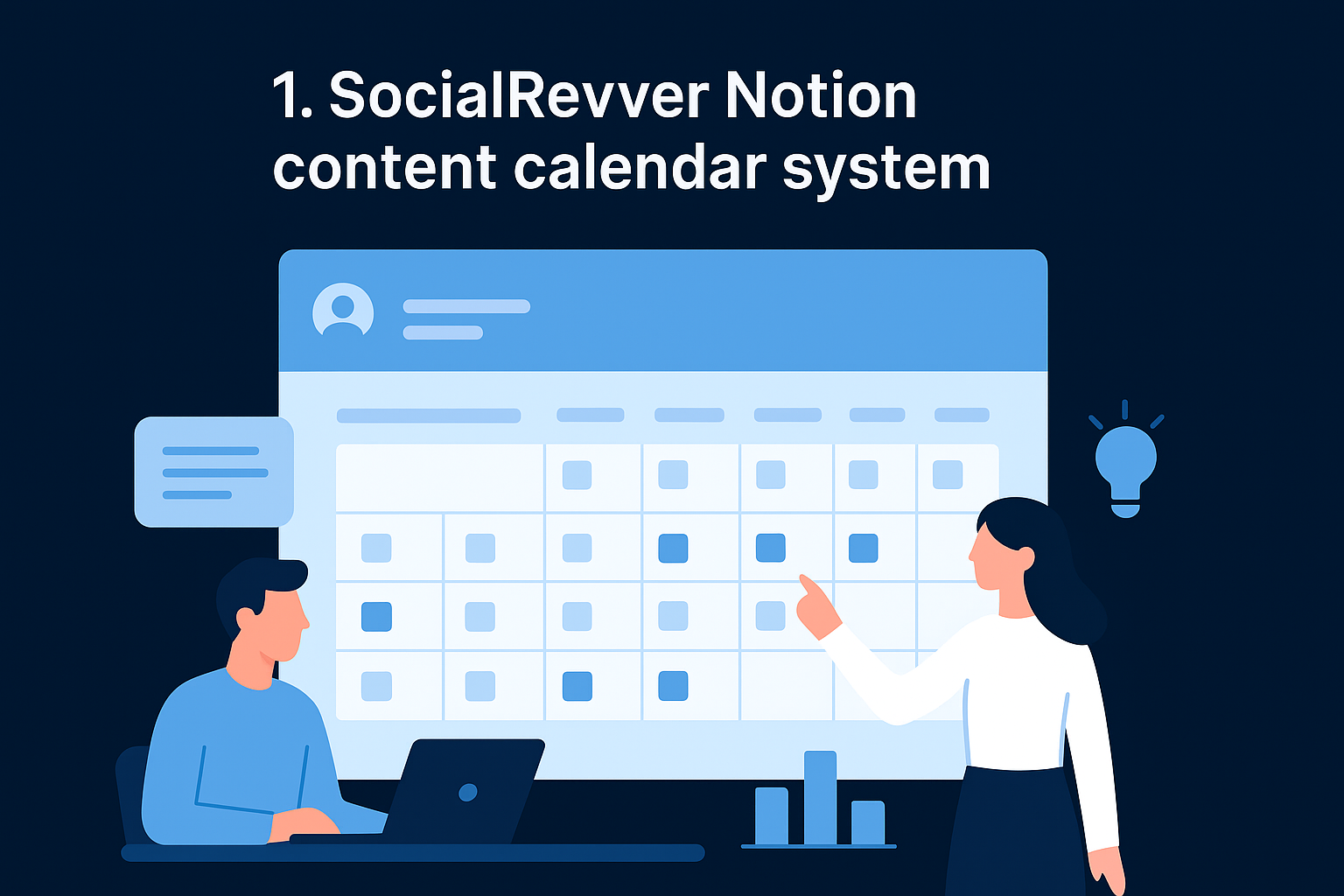
1. SocialRevver Notion content calendar system
SocialRevver's content system goes well beyond a standard Notion content calendar template. Instead of handing you a blank database to maintain yourself, SocialRevver builds and operates your entire short-form content infrastructure using the SocialRevver Attention Engine™.
What you get and how it works
When you onboard with SocialRevver, you get a fully structured content system backed by machine learning analysis of over 750,000 videos. The workspace maps your entire content pipeline, from raw ideas to published posts, with data-driven inputs at every stage. Your team gets complete visibility into what is being created, when it goes live, and how it performs.
How it handles ideation to publishing
SocialRevver handles the production at every step. The AI-driven strategy layer identifies hooks, psychological triggers, and formats that perform in your specific niche. Scripts flow from that analysis directly into production, where the editing pipeline covers pacing, captions, sound design, and branding. No creative decisions land on your plate unless you want them to.
Your content calendar does not just track what you planned. It tracks what the data says will actually work.
Best for
SocialRevver is built for founders, business owners, and established creators who want a revenue-focused content operation rather than a template they maintain themselves. It fits best when:
- You need a hands-off system that runs without daily input from you
- Your goal is authority and inbound leads, not just follower counts
What you still manage vs what SocialRevver manages
Your role covers brand approvals and overall direction. SocialRevver handles strategy, scripting, editing, scheduling, and performance monitoring. The split keeps you as the face of the brand without pulling you into production work.
Pricing
SocialRevver runs on a managed service model with custom pricing based on your content volume and growth goals. You can get a quote directly at socialrevver.com.
2. Notion basic content calendar template
Notion ships a built-in content calendar template directly inside its template gallery, so you can set up a working system without searching the web. It gives you a structured starting point that covers the basics of planning and tracking content across multiple channels.
What it includes
The template comes with a multi-view database that holds your content ideas, draft status, and publish dates in one place. You get a calendar view, a table view, and a set of default properties including status, channel, and due date.
Best for
This notion content calendar template works best for solo creators or small teams who are just getting started with content planning and need a clean, low-complexity setup.
Views, properties, and workflow fit
The calendar view is the fastest way to spot gaps in your publishing schedule before they turn into missed deadlines.
You can toggle between table and calendar views to manage your pipeline visually. The default properties cover most basic workflows without overwhelming you with fields you won't use.
Setup and customization tips
Duplicate the template and add a Select property for platform (YouTube, LinkedIn, Instagram) right away. That single addition makes filtering and sorting far more useful as your content volume grows.
Pricing
Free with any Notion account, making it the lowest-friction way to test whether a structured calendar fits your workflow.
3. Notion social media calendar 2026 template
The Notion social media calendar 2026 template is built specifically for creators who manage multiple platforms simultaneously and need a system that keeps channel-specific content organized without blending everything into one cluttered view.
What it includes
This template gives you a dedicated database for social media posts with properties for platform, content format, caption draft, visual asset status, and scheduled publish date. It focuses on social and short-form content rather than long-form editorial work, so the fields stay relevant to what you actually produce.
Best for
This notion content calendar template works best for multi-platform creators posting regularly to Instagram, TikTok, LinkedIn, and YouTube Shorts who need a unified view across all channels in one place.
Views, properties, and workflow fit
The template includes platform-filtered views so you can focus on one channel at a time without losing sight of your full publishing schedule.
Filtering by platform turns a chaotic multi-channel schedule into a clean, actionable weekly plan.
Setup and customization tips
Add a linked database to a separate asset tracker so your visual files stay connected to each post without cluttering your main calendar view.
Pricing
Free through the Notion template gallery with any standard Notion account.
4. McKay SEO content engine template
The McKay SEO content engine is a community-built Notion template designed for bloggers and content marketers who want to connect their editorial calendar directly to keyword research and SEO workflows.
What it includes
This template combines a content calendar database with fields for target keyword, search volume, funnel stage, and content status. It keeps your SEO strategy and publishing plan in the same workspace rather than split across separate tools.
Best for
This notion content calendar template fits SEO-focused bloggers and content marketers who produce written content at volume and need to track keyword targets alongside their editorial pipeline.
Linking keyword data directly to your calendar removes the step where SEO research and content planning drift apart.
Views, properties, and workflow fit
The template uses a Kanban board view to move posts through stages from research to published. The SEO-specific properties make it easy to prioritize what gets written based on opportunity, not just deadlines.
Setup and customization tips
Add a priority score property based on your own keyword criteria so you can sort your backlog by impact rather than working through it in random order.
Pricing
Free through the Notion community template gallery.
5. Social media content planning system template
The Social media content planning system template is a community-built option for creators who need more structure than a basic calendar but less complexity than a full SEO engine. It focuses on short-form and social content workflows, keeping every property and view aligned with the realities of consistent cross-platform posting.
What it includes
This notion content calendar template gives you a content database with properties for platform, format, content pillar, caption, and publish date. A content pillar field keeps your messaging consistent by tying every post back to a defined topic category.
Best for
This template fits creators and small business owners who post regularly to social channels and want a planning system that stays lightweight without sacrificing structure.
A content pillar system inside your calendar turns random posting into a recognizable brand voice over time.
Views, properties, and workflow fit
The template combines a gallery view with a standard calendar so you can review your visual content lineup before posts go live. Both views share a status workflow that moves each piece from idea to scheduled without extra friction.
Setup and customization tips
Add a recurring content tag to flag repeatable post formats so you can reuse high-performing structures without rebuilding them from scratch each week.
Pricing
Free through the Notion community template gallery with any standard Notion account.
Pick a calendar you will actually keep using
The best notion content calendar template is the one you open every day, not the most complex one you can find. If you run a solo operation or a small team, the free Notion templates in this list give you enough structure to build a reliable publishing rhythm without overbuilding a system you'll abandon in two weeks. Match the template to how you actually work, not how you think you should work.
If you manage content at scale and want a system that does the heavy lifting for you, a self-managed template is not the right answer. Founders and business owners who need predictable growth from short-form content should look at a fully managed approach instead. SocialRevver builds and operates your entire content engine so you stay focused on running your business. Get your free 40-slide social media strategy and see exactly what that system looks like for your brand.