A strong media kit can be the difference between landing a brand deal and getting ignored. Whether you're a creator pitching sponsors or a business attracting partners, your media kit is essentially a sales document for your brand, and it needs to look the part. The good news: you don't need a designer or expensive software to build one. The right Canva media kit templates give you a professional starting point that you can customize in minutes.
But here's where most people get stuck. They grab a generic template, slap their logo on it, and call it done. The result? A media kit that looks like everyone else's and does nothing to communicate real authority. At SocialRevver, we build content systems that turn organic attention into revenue, and we've seen firsthand how a polished brand presentation accelerates that conversion. Your media kit is part of that equation.
The templates below were selected based on design quality, ease of customization, and how well they serve creators and brands at different stages. Some are minimal and clean; others are packed with sections for analytics, testimonials, and rate cards. All of them work inside Canva's free or Pro editor, so you can edit and export without switching tools.
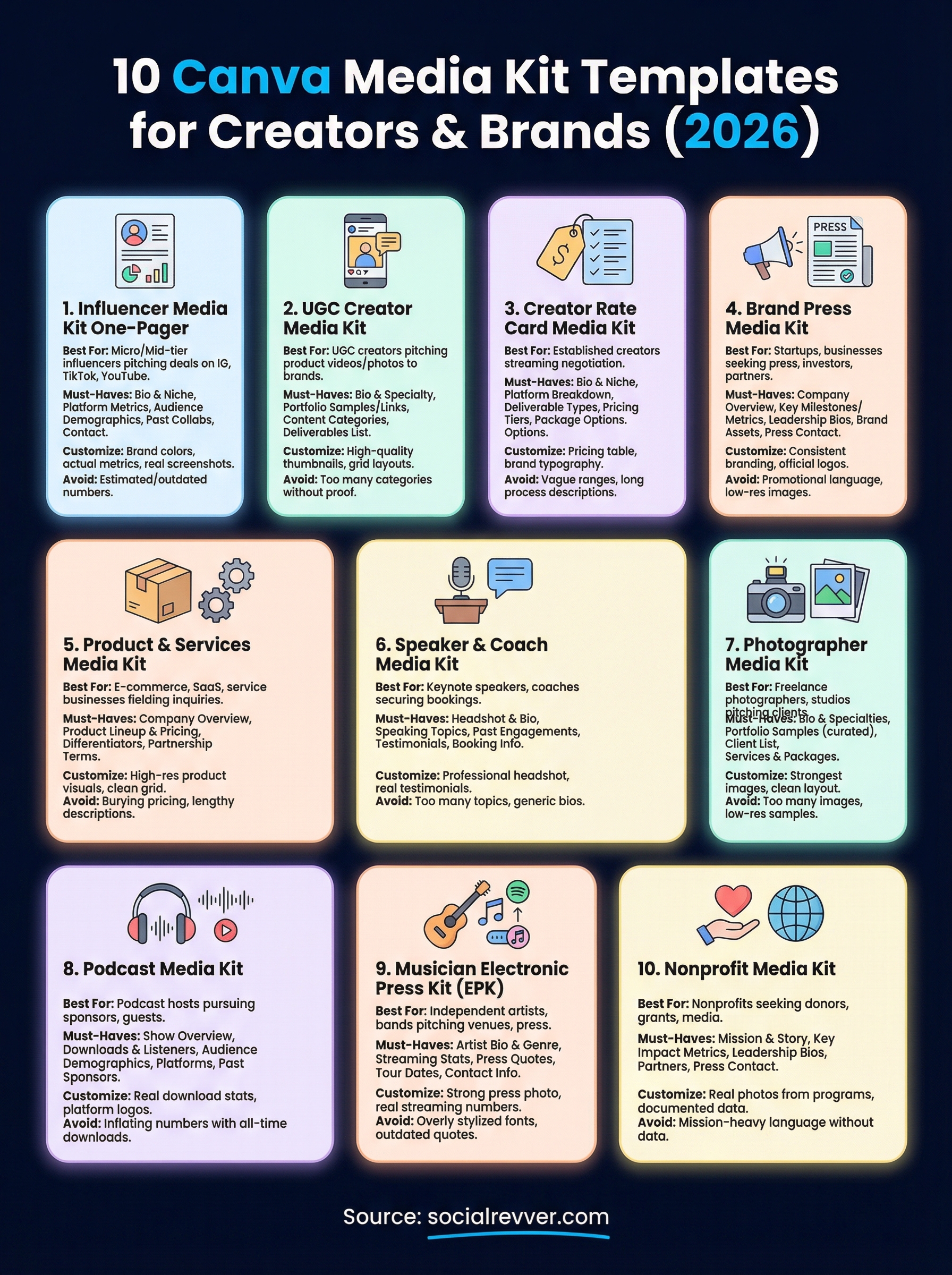
Here are 10 Canva media kit templates worth using in 2026, along with what makes each one a strong fit for specific use cases. Pick the one that matches your brand, customize it with real data, and start sending something that actually gets responses.
1. Influencer media kit one-pager
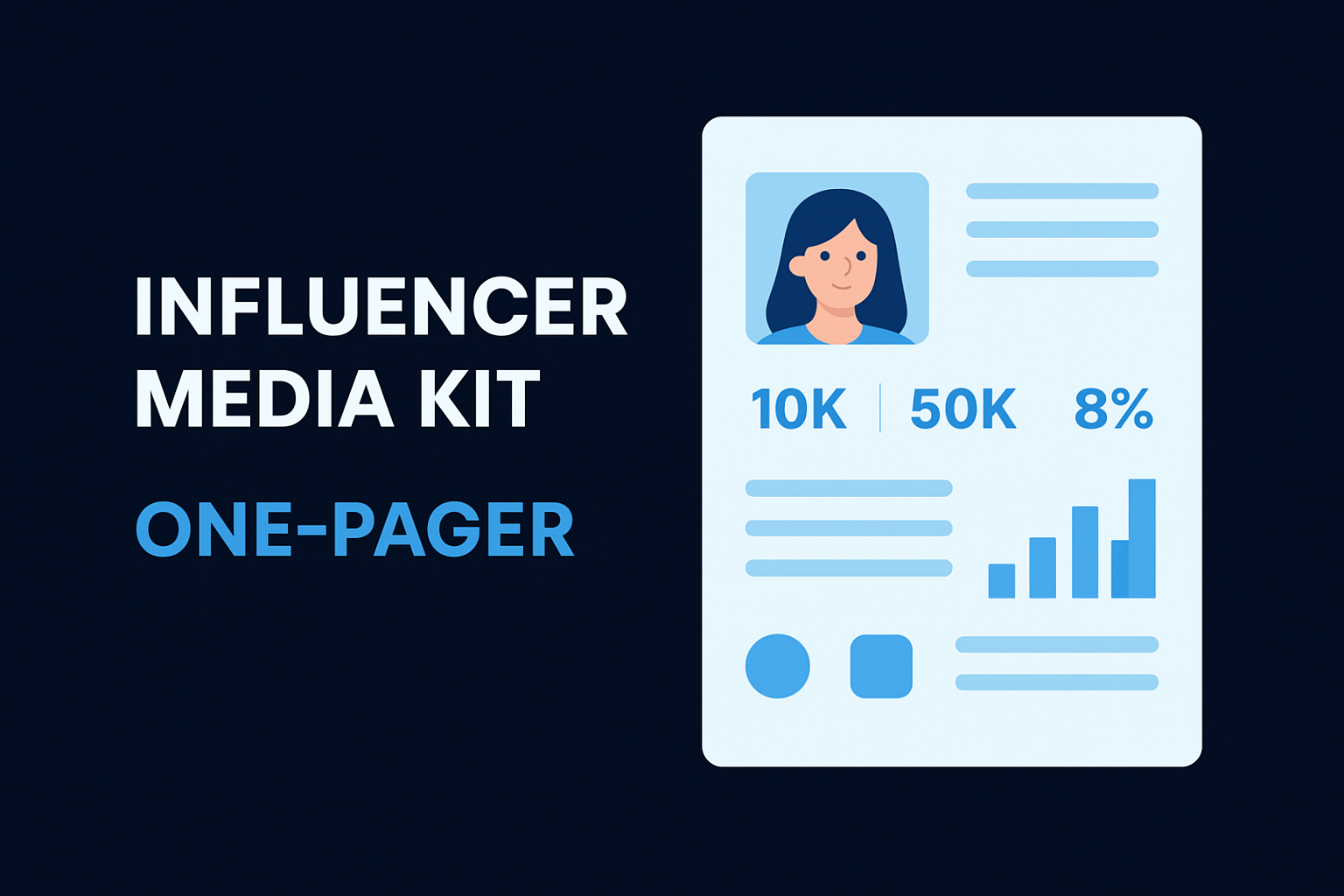
The one-pager format works because brand managers are busy. They don't want to scroll through a five-page PDF to find your follower count and niche. A single, well-structured page forces you to prioritize the information that actually matters and deliver it in a format that gets read in under 60 seconds.
What this template is best for
This template fits micro and mid-tier influencers who are actively pitching brand deals, affiliate partnerships, or sponsored content on Instagram, TikTok, or YouTube. If you have a defined niche and an engaged audience, a one-pager gives you a clean way to present that value without overwhelming the brand contact on the other end.
A focused one-page media kit consistently outperforms longer formats when pitching to brand managers who receive dozens of submissions per week.
Must-have sections to include
Your one-pager needs to include the right information in the right order. Lead with a short bio and your niche, followed by your key platform metrics. Then include audience demographics, a few past brand collaborations or testimonials, and your contact information and preferred partnership types.
- Bio and niche (2-3 sentences max)
- Platform metrics: follower count, average views, engagement rate
- Audience demographics: age range, location, gender split
- Past collaborations or brand logos
- Contact details and partnership preferences
What to customize in Canva
Once you pull a template from Canva's template library, start by swapping in your brand colors and fonts to match your existing content aesthetic. Replace placeholder headings with your actual metrics, and upload real screenshots from your analytics dashboard to support the numbers. Most Canva media kit templates let you rearrange sections using drag-and-drop, so move the elements around until the visual hierarchy puts your strongest stat front and center.
Common mistakes to avoid
The most common mistake is using estimated or outdated numbers. Brands will check. If your engagement rate has dropped or your follower count is from six months ago, update the kit before sending it. Another issue is leaving too much empty space or, on the flip side, cramming every available metric onto one page. Pick your three to five strongest data points and let those carry the pitch.
2. UGC creator media kit
UGC (user-generated content) creators operate differently from traditional influencers. Brands hire you for your ability to produce authentic, on-brand content, not necessarily for your follower count. Your media kit needs to reflect that distinction clearly.
What this template is best for
This template works best for UGC creators pitching directly to brands that need scroll-stopping product videos or photo content for their own ad campaigns. If you're applying to brand platforms or responding to casting calls, this format helps you stand out by leading with your creative output rather than your audience size.
Must-have sections to include
Your UGC media kit should focus on portfolio samples and content categories above all else. Include a brief bio, your content niches, platforms you create for, and a clear list of deliverables you offer.
- Bio and content specialty
- Portfolio samples or links (product videos, lifestyle shots, tutorials)
- Content categories and industries served
- Deliverables and turnaround time
- Rates or a note to request a rate card
What to customize in Canva
When working with canva media kit templates for UGC, prioritize the visual layout first. Add high-quality thumbnails of your best work directly in the template, and use Canva's grid layouts to organize your portfolio samples cleanly. Replace any stock imagery with your own content immediately.
Your portfolio samples carry more weight than any metric in a UGC media kit.
Common mistakes to avoid
Avoid listing too many content categories without proof of work in each one. Brands want focus and consistency. If you claim to cover ten niches but your portfolio only shows two, that inconsistency weakens your credibility before the conversation even starts.
3. Creator rate card media kit
A rate card media kit solves a specific problem: brands ask "what do you charge?" and you send a professional document instead of an awkward email thread. This format combines your brand overview with a clear pricing structure, so the conversation moves faster and you spend less time repeating the same information.
What this template is best for
This template is built for established creators and freelancers who receive frequent inbound inquiries and want to streamline the negotiation process. If you regularly get asked about sponsored posts, content packages, or platform-specific deliverables, a rate card media kit removes the back-and-forth by presenting everything in one place.
Must-have sections to include
Your rate card needs to be specific enough to be useful without locking you into rigid pricing before a conversation happens.
- Short bio and niche summary
- Platform breakdown with key metrics
- Deliverable types (Instagram Reel, TikTok video, YouTube integration, email mention)
- Pricing tiers or starting rates per deliverable
- Package options that bundle multiple placements at a discount
- Contact information and booking process
What to customize in Canva
When editing canva media kit templates for this format, build your pricing table using Canva's built-in table element so it stays visually clean and easy to scan. Swap placeholder rates with your actual figures, and use your brand typography to keep the document consistent with your other materials.
Brands respond faster when your rates are visible upfront rather than buried in email negotiations.
Common mistakes to avoid
Avoid listing vague pricing ranges like "starting at $X" without context for what drives the cost up. Brands interpret vague pricing as a lack of professionalism. Also, skip long paragraphs explaining your process inside the rate card itself. Keep descriptions short and let the deliverables speak clearly.
4. Brand press media kit
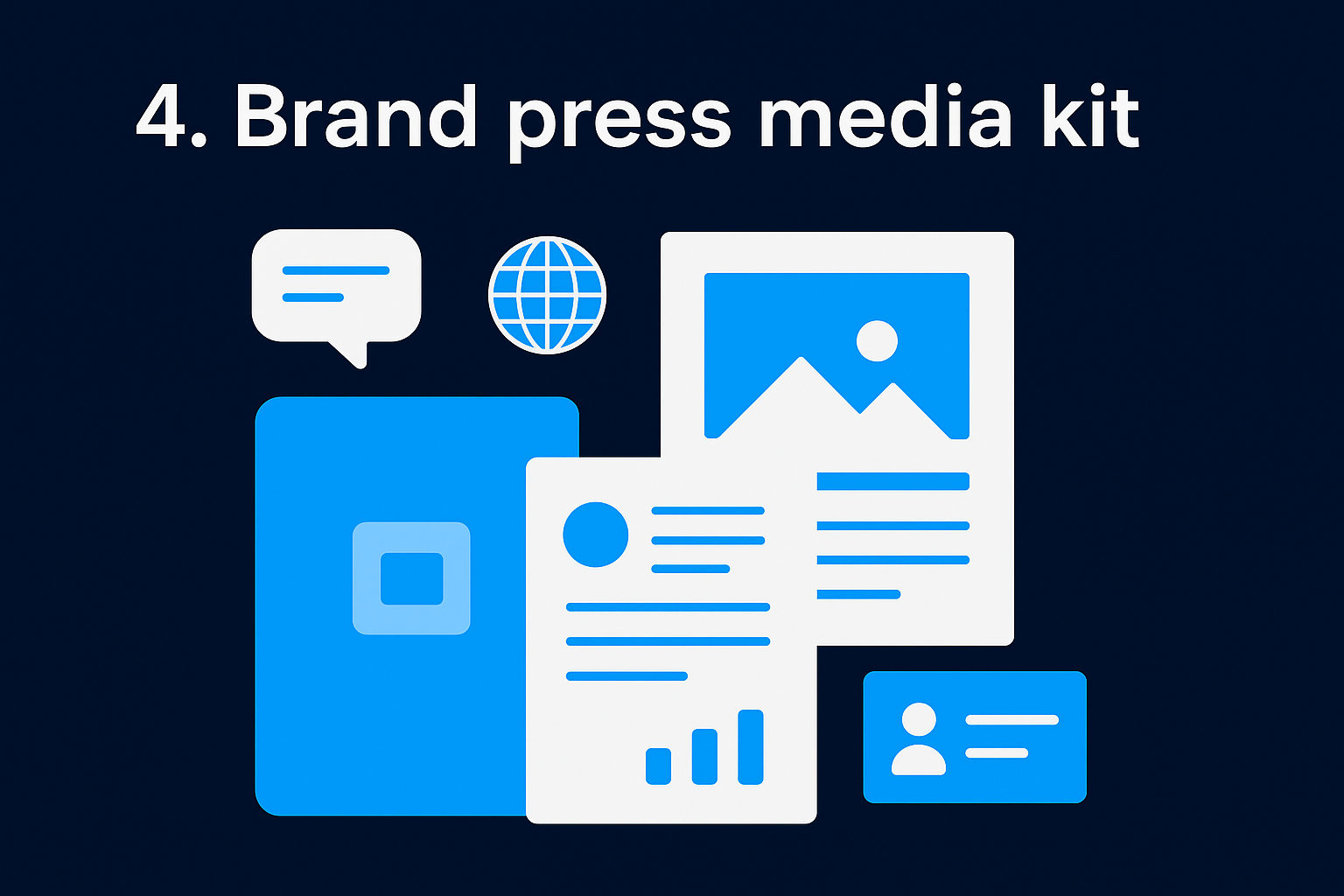
A brand press media kit serves a different purpose than a creator kit. Instead of pitching your audience to sponsors, you're presenting your business to journalists, media outlets, and potential partners who need verified facts, brand assets, and key company details. Getting this document right means media coverage moves faster and looks more accurate.
What this template is best for
This template works best for startups, product-based businesses, and growing brands that are actively pursuing press coverage, investor visibility, or partnership announcements. If your team is reaching out to journalists or responding to media inquiries, a dedicated press kit removes the friction of sourcing information on the fly.
Journalists are more likely to cover a brand when all the factual information they need is organized and immediately accessible in a single document.
Must-have sections to include
Your brand press media kit should give any media contact everything they need without requiring a follow-up email.
- Company overview and founding story
- Key milestones and traction metrics (revenue, users, growth rate)
- Leadership bios with headshots
- Brand assets: logo files, color codes, approved imagery
- Press contact information and media inquiry instructions
What to customize in Canva
When editing canva media kit templates for press use, prioritize consistent brand styling across every section. Upload your official logo in multiple formats and set the document's color palette to match your brand guidelines exactly. Replace all placeholder text with factual, sourced information before the kit leaves your hands.
Common mistakes to avoid
Avoid using promotional language that reads like advertising copy. Journalists need facts, not taglines. Also, skip low-resolution images or placeholder headshots. Media outlets need print-quality assets they can use immediately, and sending anything less signals a lack of preparation.
5. Product and services media kit
A product and services media kit bridges the gap between a sales deck and a press document. It gives potential partners, retailers, and buyers a structured overview of what you offer without forcing them to sit through a full pitch call. Think of it as your brand's front door for business development conversations.
What this template is best for
This format fits e-commerce brands, SaaS companies, and service-based businesses that field regular inquiries from wholesale buyers, reseller partners, or affiliate marketers. If your team spends time explaining the same product details across multiple emails, this kit consolidates that effort into a single shareable document.
Must-have sections to include
Your product and services media kit needs to cover the commercial essentials without becoming a catalog.
- Company overview and mission
- Product or service lineup with short descriptions and pricing tiers
- Key differentiators and proof points (awards, certifications, case study results)
- Partnership or wholesale terms and minimum order requirements
- Contact information and next steps
What to customize in Canva
When working with canva media kit templates for this format, focus on product visuals first. Upload high-resolution product images and replace any placeholder mockups with your actual inventory. Use Canva's layout tools to keep the product grid clean and scannable.
Buyers decide quickly. Your visuals and pricing structure need to communicate value before they read a single line of body copy.
Common mistakes to avoid
Avoid burying your pricing or partnership terms at the end of the document. Buyers want that information early. Also skip lengthy product descriptions, as short benefit-focused bullet points convert faster than full paragraphs in this format.
6. Speaker and coach media kit
Speakers and coaches sell themselves before they sell their programs. Event organizers, podcast hosts, and corporate clients need to quickly assess your credibility, topic expertise, and speaking style before they extend an invitation or booking offer. A dedicated media kit gives them exactly what they need without requiring a phone call first.
What this template is best for
This format works best for keynote speakers, business coaches, and consultants who want to secure more bookings, podcast appearances, or corporate workshop contracts. If you regularly pitch yourself to events or media opportunities, a speaker media kit positions you as a professional who operates at a higher level than those sending a plain resume or LinkedIn link.
Must-have sections to include
Your speaker and coach media kit needs to build immediate authority and trust across every section.
- Professional headshot and short speaker bio
- Speaking topics and signature talk titles with one-line descriptions
- Past speaking engagements, event logos, or media appearances
- Testimonials from event organizers or coaching clients
- Booking information and contact details
What to customize in Canva
When editing canva media kit templates for this format, your headshot is the most important asset on the page. Use a high-resolution, professionally shot image and place it prominently near your bio. Replace placeholder topic titles with your actual signature talks and add real testimonial quotes with attribution.
A speaker media kit with verified past engagements and a compelling topic lineup converts booking inquiries significantly faster than a generic bio page.
Common mistakes to avoid
Avoid listing too many speaking topics in an attempt to seem versatile. Event organizers want a specialist, not a generalist. Keep your topic list focused to three or four areas where you have documented proof of delivery.
7. Photographer media kit
Photographers face a unique challenge when pitching clients or publications: your work is the product, but your media kit still needs to communicate the business behind it. Without a structured document that combines your portfolio, services, and credentials, potential clients often move on to the next photographer who makes the decision easier for them.
What this template is best for
This format works best for freelance photographers and studios pitching commercial clients, editorial outlets, or event bookings. Whether you shoot product photography, weddings, or editorial content, a dedicated media kit signals that you run a professional operation and take your business seriously.
Must-have sections to include
Your photographer media kit needs to balance visual portfolio samples with practical business details that move a client toward booking.
- Professional bio and photography specialties
- Portfolio samples organized by category (commercial, editorial, events)
- Client list or past brand collaborations
- Services and packages with pricing or a link to your rate sheet
- Contact information and booking process
What to customize in Canva
When editing canva media kit templates for photography, image quality is everything. Upload your strongest portfolio images and prioritize a clean grid layout that lets the work breathe without competing text. Set your fonts and color palette to match your existing branding.
A photographer's media kit should feel like an extension of their visual style, not a generic business document.
Common mistakes to avoid
Avoid including too many portfolio images in an attempt to showcase range. Curate to your best five or six shots per category. Also skip any low-resolution samples, as compressed images in a media kit undermine the exact skill you are trying to sell.
8. Podcast media kit
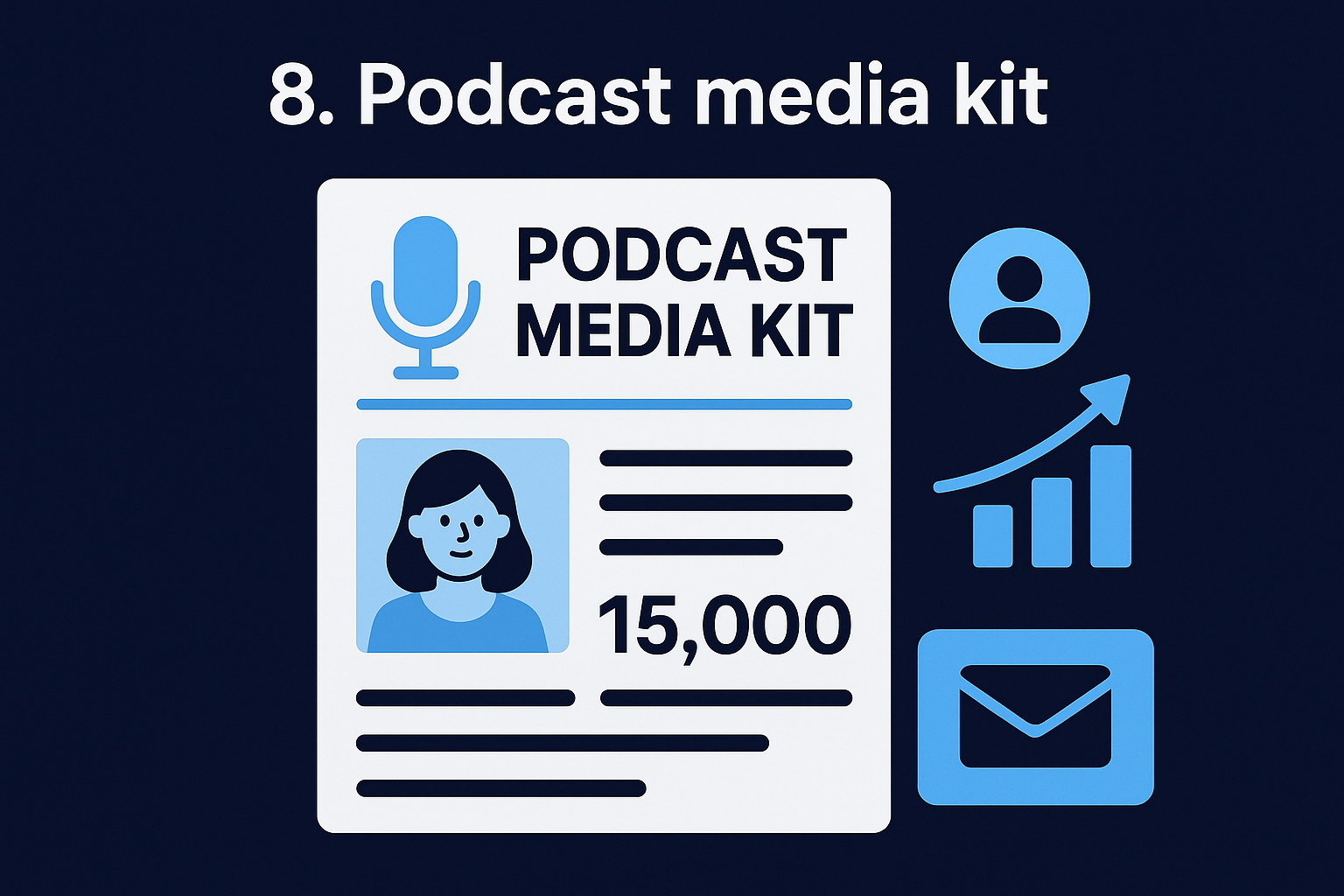
Podcasts have become a serious media channel for brands and creators alike, but pitching your show to sponsors or guest bookers without a dedicated kit puts you at a disadvantage. A podcast media kit gives potential advertisers and collaborators a clear picture of your audience and your show's value before they ever press play.
What this template is best for
This template works best for podcast hosts with a consistent publishing schedule who are actively pursuing sponsorships, advertising deals, or high-profile guest bookings. Whether your show focuses on business, health, or culture, a dedicated media kit positions you as a credible media property rather than a casual content creator.
Must-have sections to include
Your podcast media kit needs to cover the data points that sponsors actually evaluate when deciding where to place their budget.
- Show overview and episode format
- Total downloads and average listeners per episode
- Audience demographics: age, profession, income level
- Platforms the show is distributed on
- Past sponsors or featured guests
- Advertising formats available and contact information
What to customize in Canva
When editing canva media kit templates for a podcast, pull your download stats directly from your hosting platform and enter the real numbers. Use Canva's icon library to add platform logos for each distribution channel, and upload your show's cover art to anchor the design.
Sponsors evaluate your average episode downloads more than your total catalog downloads, so make that number impossible to miss.
Common mistakes to avoid
Avoid inflating your numbers by citing total all-time downloads when your recent episode performance tells a different story. Sponsors will request a media report, and inconsistencies between your kit and your actual data kill the deal immediately.
9. Musician electronic press kit
Musicians use electronic press kits (EPKs) to pitch themselves to venues, booking agents, music blogs, and festival organizers. Without a dedicated document that covers your sound, your story, and your audience reach, you leave those decision-makers with no clear reason to follow up. A structured EPK built in Canva gives you a shareable, professional package that works whether you're pitching a local venue or a national festival.
What this template is best for
This format works best for independent artists and bands actively pursuing bookings, label interest, or music press coverage. If you're releasing new music or planning a tour, an EPK gives promoters and journalists the context they need to evaluate and champion your work without requiring a long introductory call.
Must-have sections to include
Your musician EPK needs to cover both the creative and the commercial side of your brand.
- Artist bio and genre overview
- Streaming stats and monthly listeners across platforms
- Press quotes or media coverage links
- Upcoming tour dates or booking availability
- Contact information and management details
What to customize in Canva
When editing canva media kit templates for music, lead with a strong press photo and your artist name in a font that matches your visual identity. Pull your real streaming numbers from Spotify for Artists or your distributor dashboard and enter those directly.
Your streaming stats and press coverage are the two data points booking agents check first, so place both above the fold.
Common mistakes to avoid
Avoid using overly stylized fonts that prioritize aesthetics over readability. Booking agents scan EPKs quickly, and a kit that's hard to read gets skipped. Also skip outdated press quotes from early in your career if your recent work has stronger coverage to reference.
10. Nonprofit media kit
Nonprofits operate in a competitive attention environment where donors, grant committees, and media contacts are constantly evaluating which organizations deserve their support. Without a dedicated media kit, your outreach relies on scattered materials that force decision-makers to piece together your story themselves. A structured nonprofit media kit gives them a single, clear document that communicates your mission, your impact, and your credibility at a glance.
What this template is best for
This format works best for registered nonprofits and charitable organizations actively pursuing press coverage, donor partnerships, or grant funding. If your team regularly sends outreach to journalists, foundations, or corporate sponsors, a dedicated media kit removes the friction and presents your cause in a way that builds immediate trust with the recipient.
Must-have sections to include
Your nonprofit media kit needs to lead with impact data, not just mission language.
- Mission statement and founding story
- Key impact metrics: people served, programs delivered, funds distributed
- Leadership bios and board credentials
- Partner organizations or funding sources
- Press contact information and media inquiry process
What to customize in Canva
When editing canva media kit templates for nonprofit use, replace any corporate-looking stock imagery with real photos from your programs or community work. Authentic visuals carry more persuasive weight than polished stock.
Donors and journalists respond to documented impact over inspirational language, so lead with your numbers.
Common mistakes to avoid
Avoid filling your kit with mission-heavy language that lacks supporting data. Every claim about your organization's impact needs a verifiable number or source behind it, or the document loses credibility with the people who matter most.
What to do next
You now have ten specific formats to match your situation, each with a clear structure and a set of customization priorities. The right canva media kit templates cut your setup time significantly, but the document only works when you fill it with real data, current metrics, and authentic visuals that represent where your brand actually stands today.
Pick the template that fits your current goal, update every placeholder with accurate information, and send it to the contacts who matter. A well-built media kit opens conversations that a cold email never will.
If you want to back that media kit with a content system that generates consistent authority and inbound attention, your social media strategy needs to match the brand you're presenting. Get your free 40-slide social media strategy from the SocialRevver team and build the content engine that makes every pitch land harder.